Free from dependence.
For organizations
Support that goes with every member, wherever they are.
Free and Sober™ puts your name, your schedules and your care team inside a private wellness app your members use during your program and keep after discharge, with a BAA and 42 CFR Part 2 addendum for covered programs. You pick each member's plan, and you get monthly program totals built around 42 CFR Part 2.
Your name in their app
Your program's name, documents and meeting times, in the app they already use.
Continued support, your call
Keep members connected for 30 to 365 days after discharge, billed by calendar month only while aftercare is on.
Meetings and broadcasts
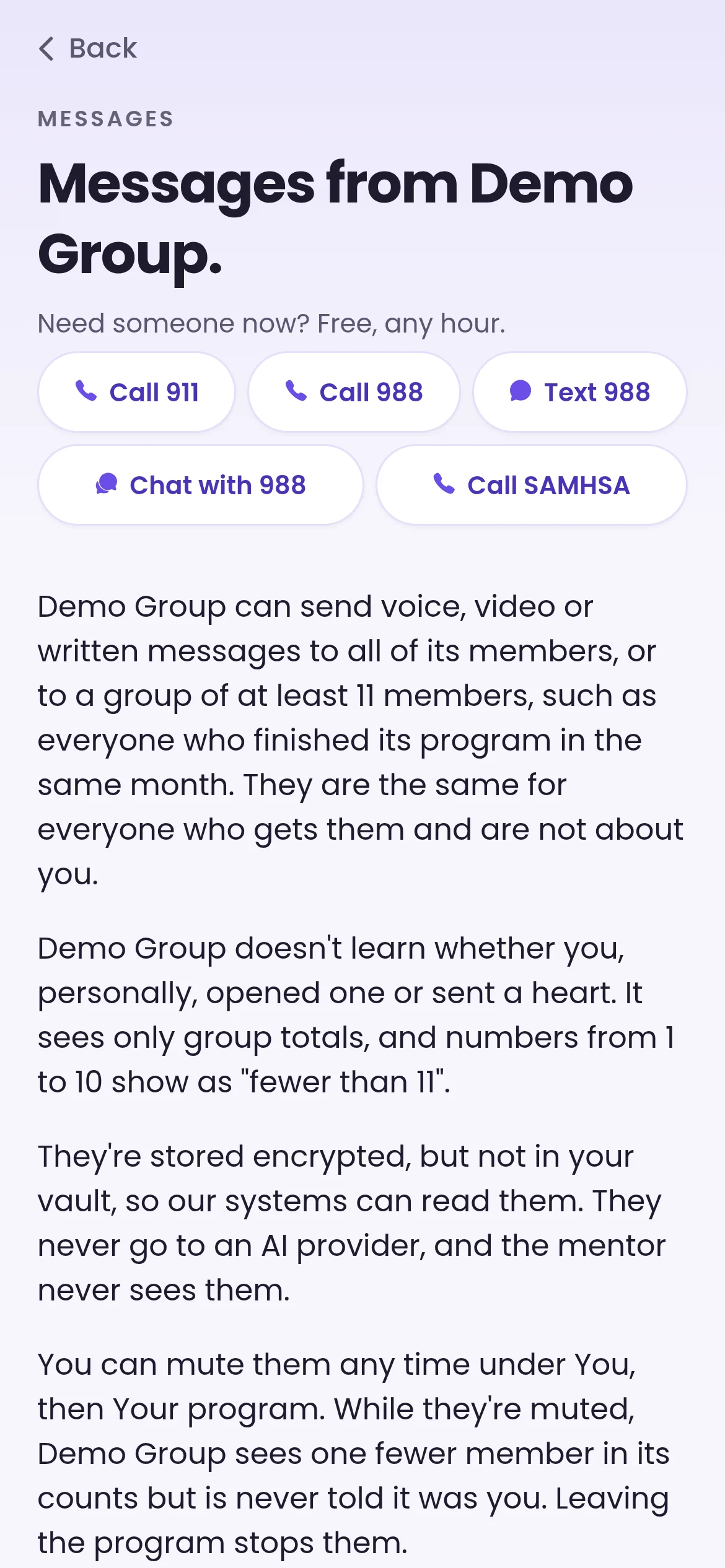
Live video, one-on-one or in a group, never recorded. Broadcasts reach everyone or a group: a class, Alumni or a custom group.
Know when a member wants to talk
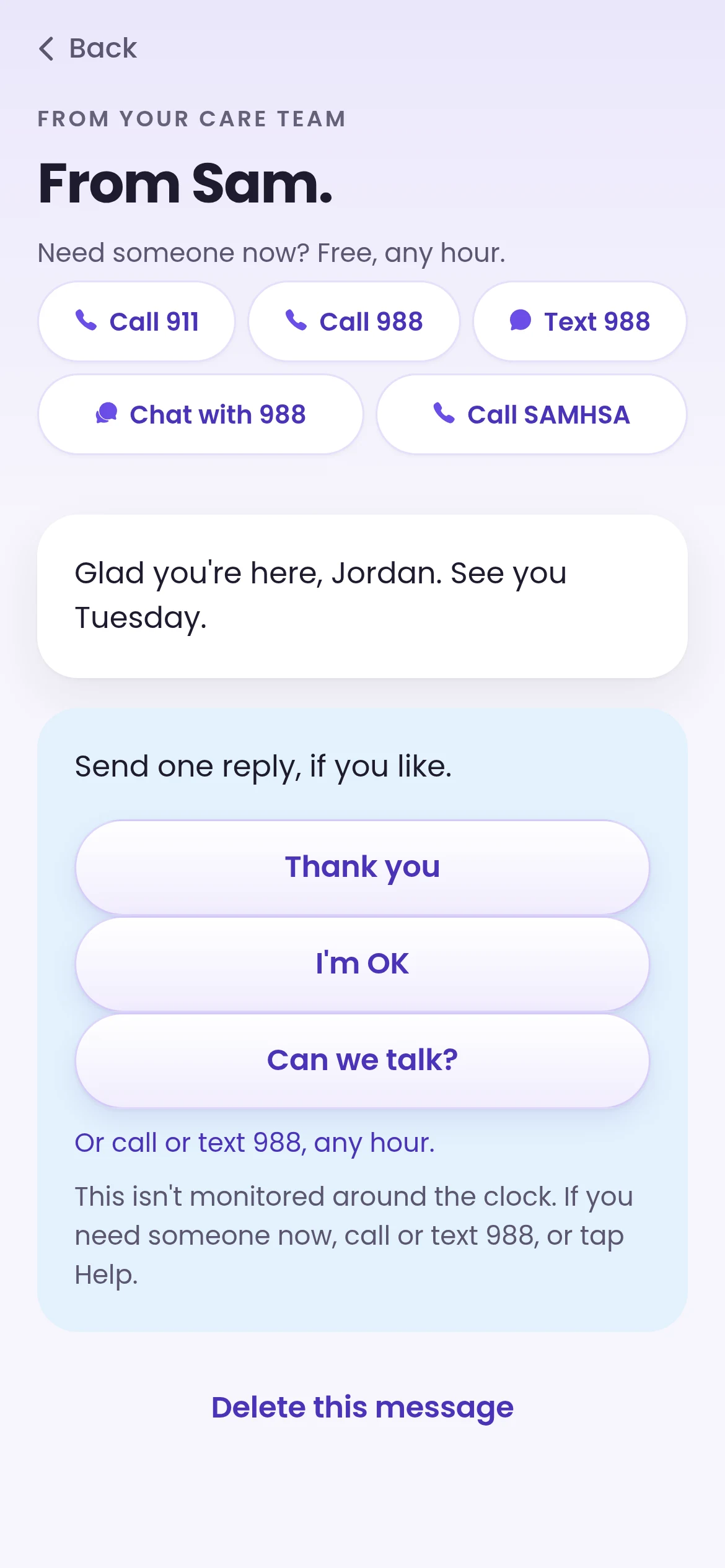
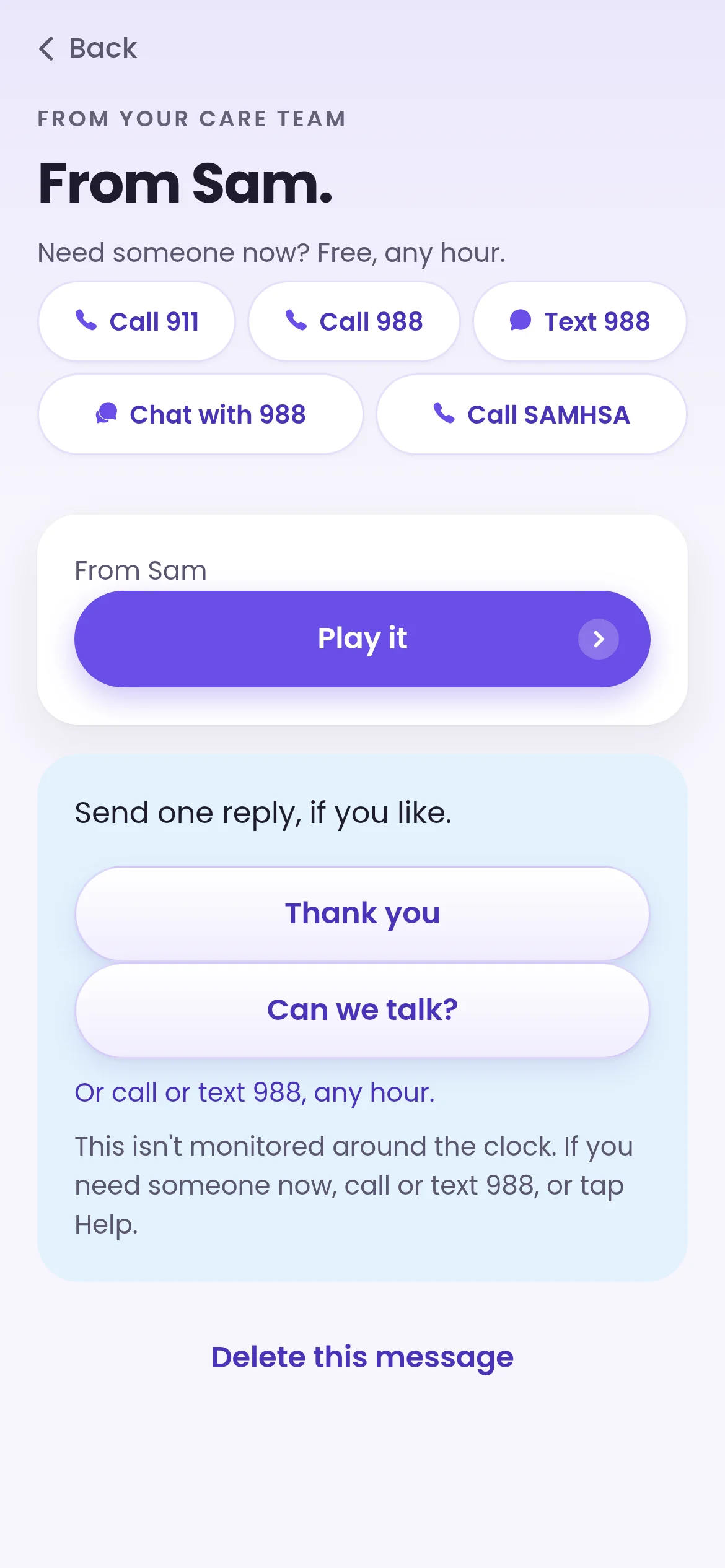
When a member taps “Can we talk?”, your leads and counselors see it on the Care team tab.
Security & compliance
HIPAA first. Clear numbers for you, privacy for them.
Your program gets monthly totals for its seats, and members see exactly what you'll receive before they join. When a member signs the privacy disclosure in the app, your staff also see their first name and last initial beside their seat, taken from the member's own account, until the day they withdraw. Time Capsules and journals are never shared with your program.
What your program gets
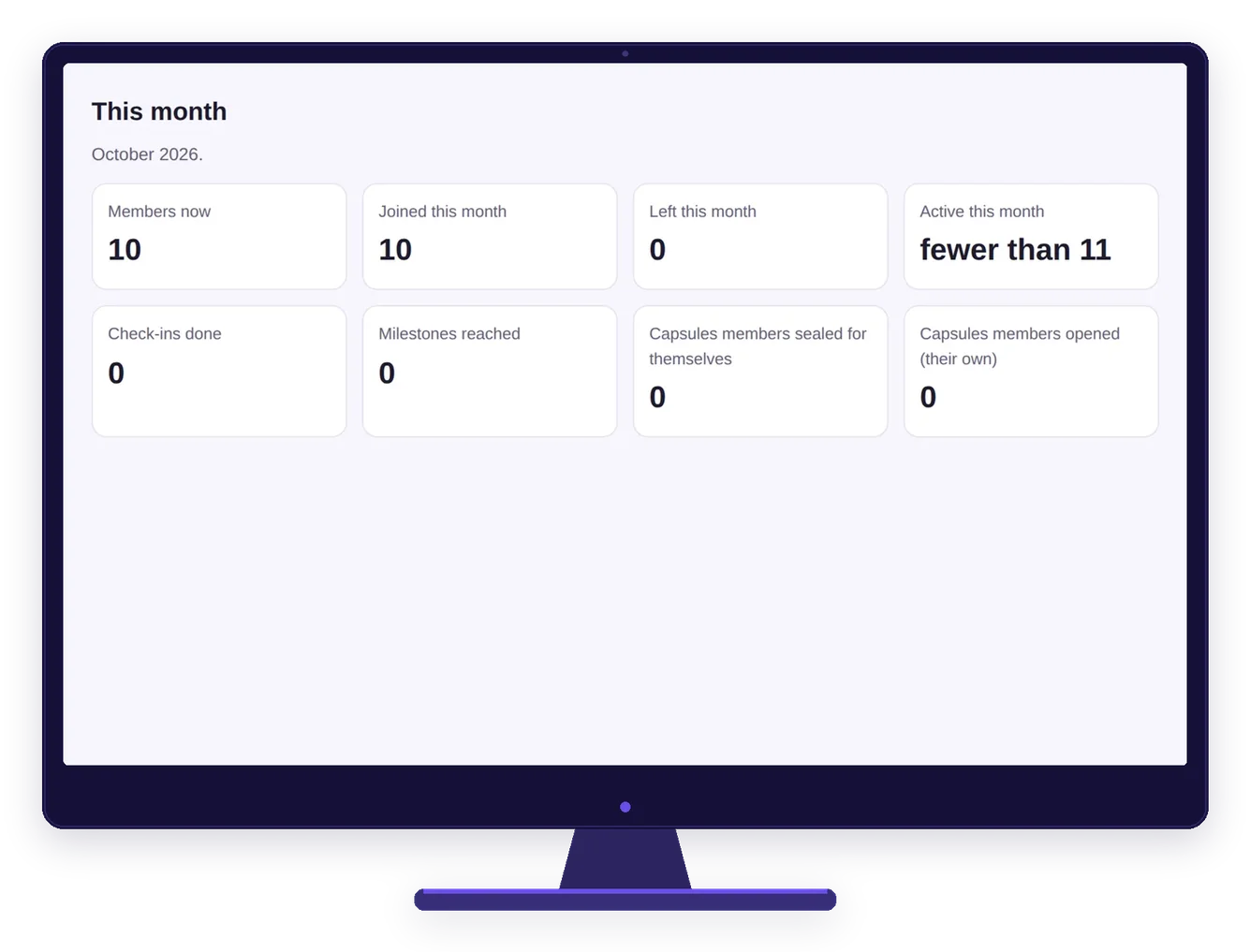
Seats in use, joins and departures
How many were active this month
Check-ins done
Milestones reached
Capsules sealed and opened
What members keep private
Their words
Their recordings
Mentor conversations
Notes and check-in answers
Their calendar and their corner


Built for HIPAA and 42 CFR Part 2 programs
We sign a Business Associate Agreement with your program, with a 42 CFR Part 2 qualified service organization addendum where it applies. We hold signed BAAs with AWS, Google Workspace, OpenAI and Sentry, and a feature turns on for your program only once its agreement is in place. Journals and Time Capsules are never shared with your program, and the app runs with no tracking. Covered by HIPAA or not, every member gets the same safeguards.
Members who opt in, stay in
Each member sees exactly what your program receives before joining, then chooses to share. Your team works with people who want the support, and that shows in engagement.
Reports you can hand to funders
Reports show program totals only, with counts from 1 to 10 shown as "fewer than 11". Your compliance team decides what to share with boards and grant makers.
Trust that keeps them coming back
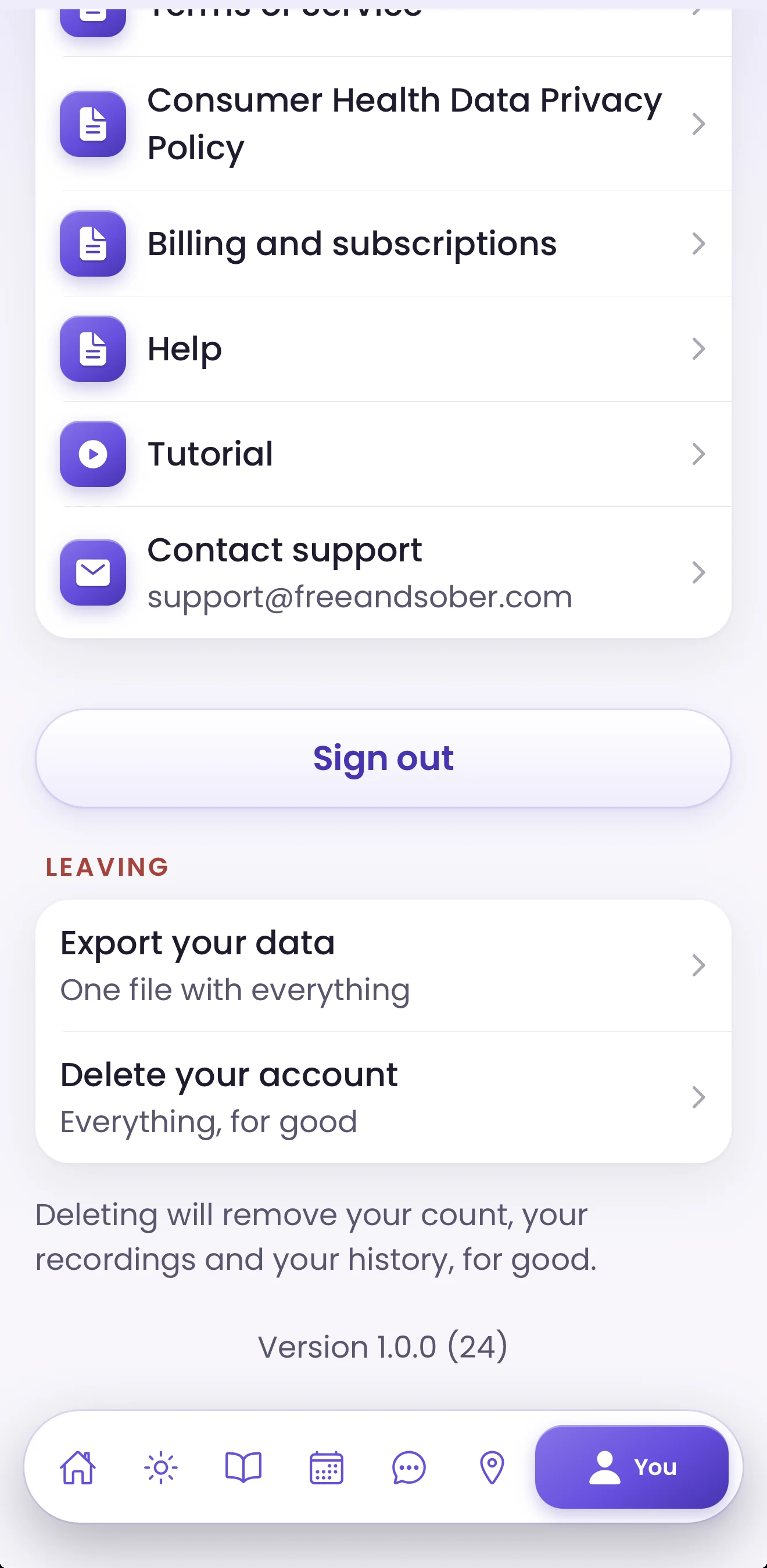
Members can leave from the You tab any day, and sharing stops that day. Knowing they're in control is what keeps them using the app.
The organization portal
What your staff use in a web browser: sign-in, codes and seats, care team, resources, meetings, billing and the optional Partner API. Shown with demo data.
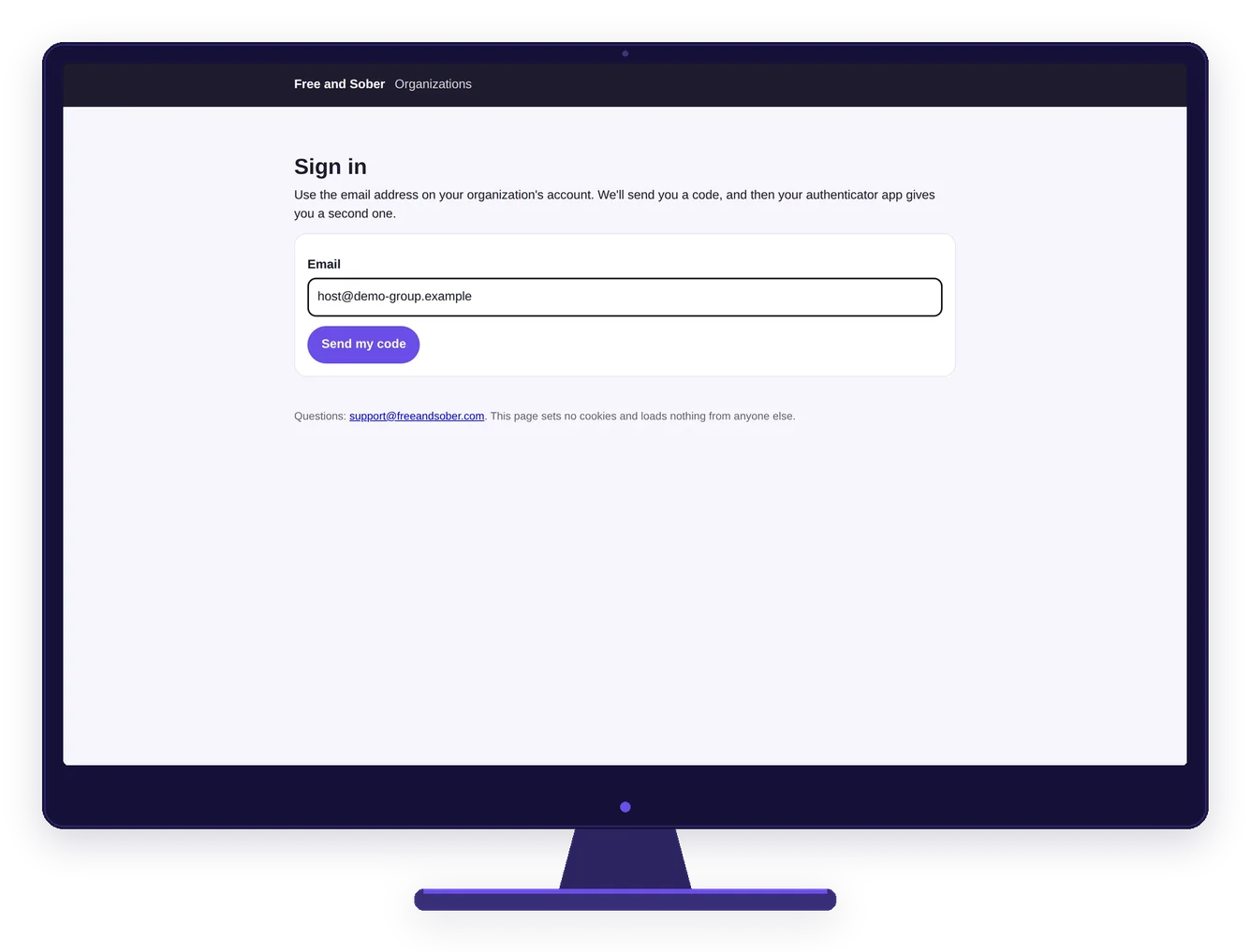
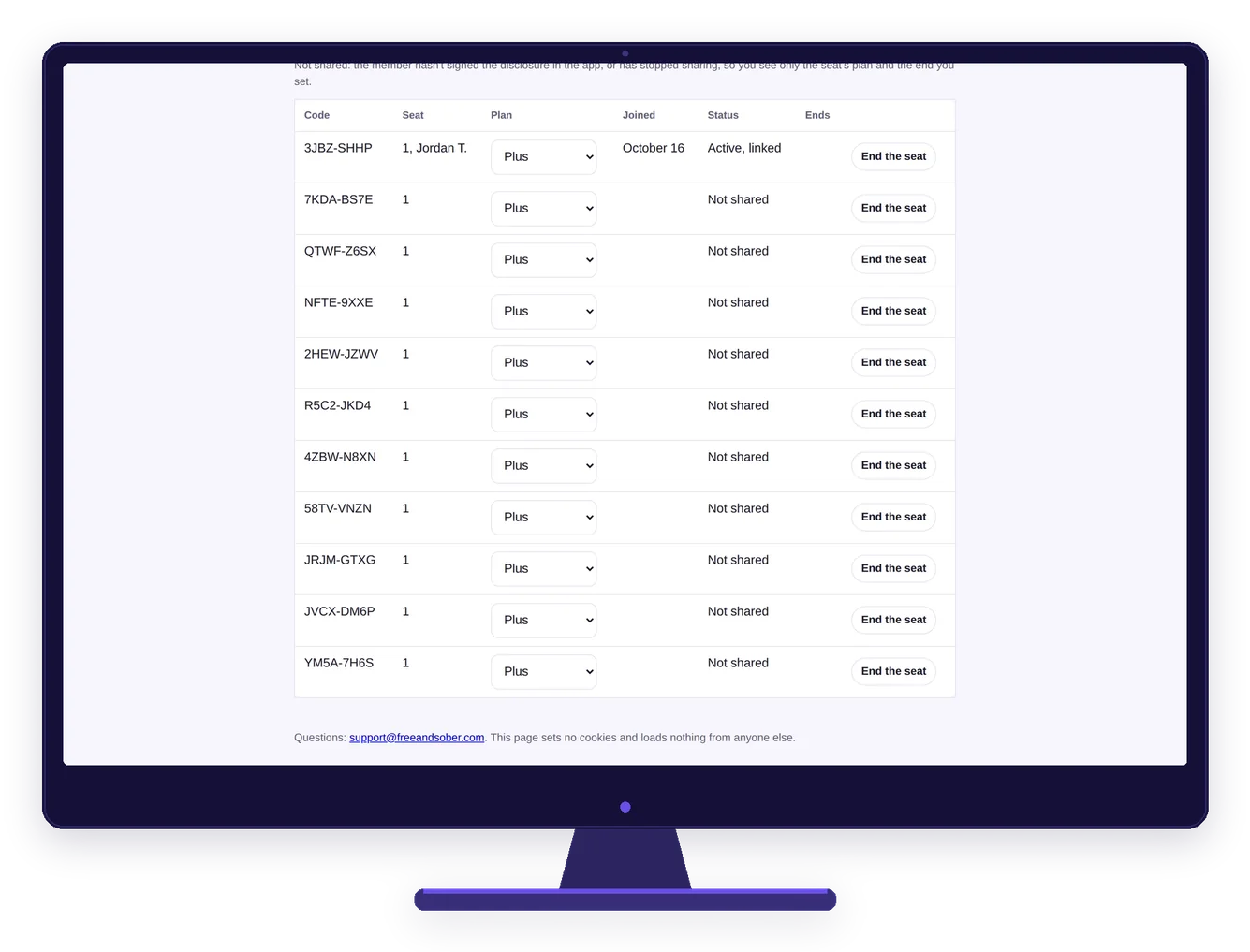
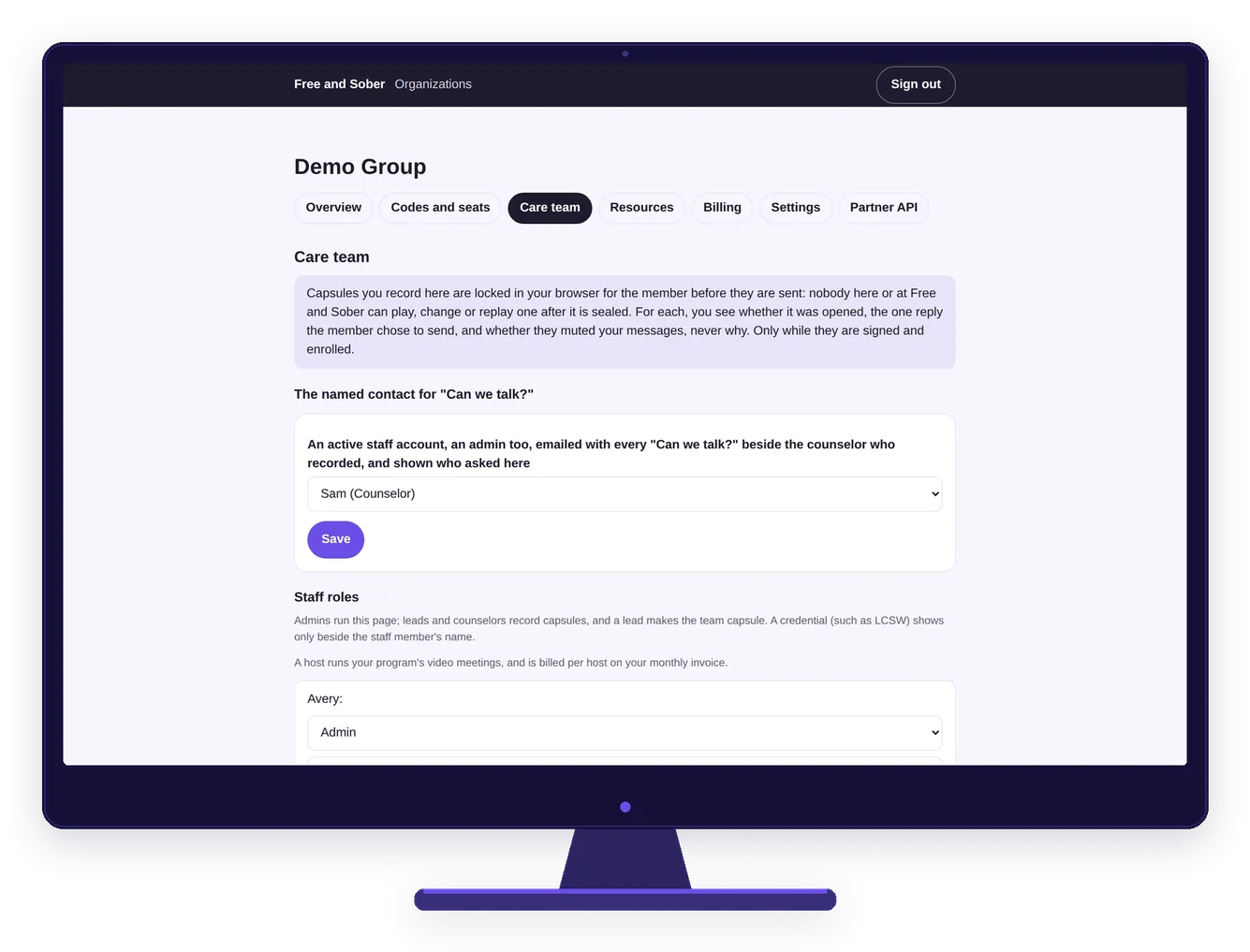
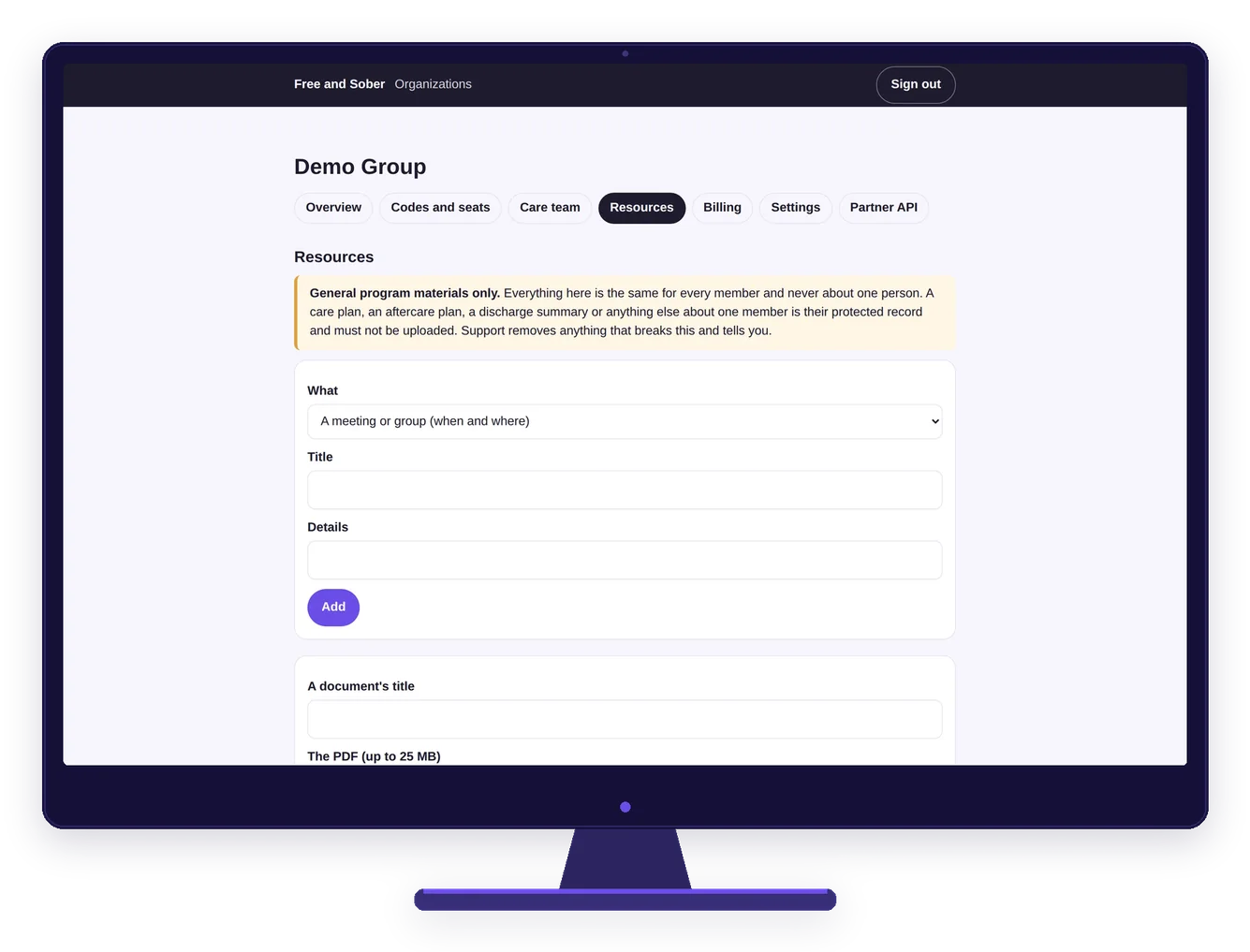
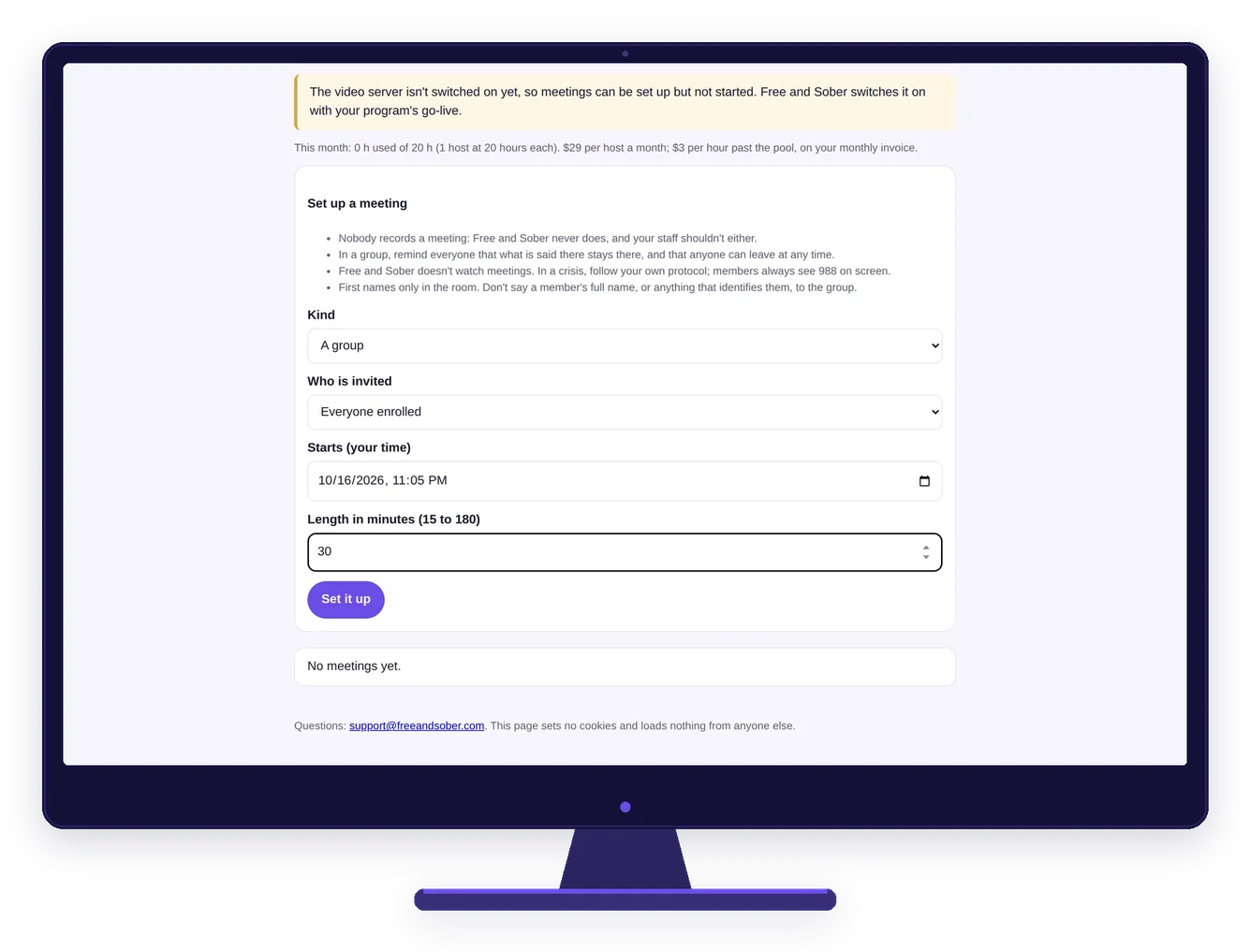
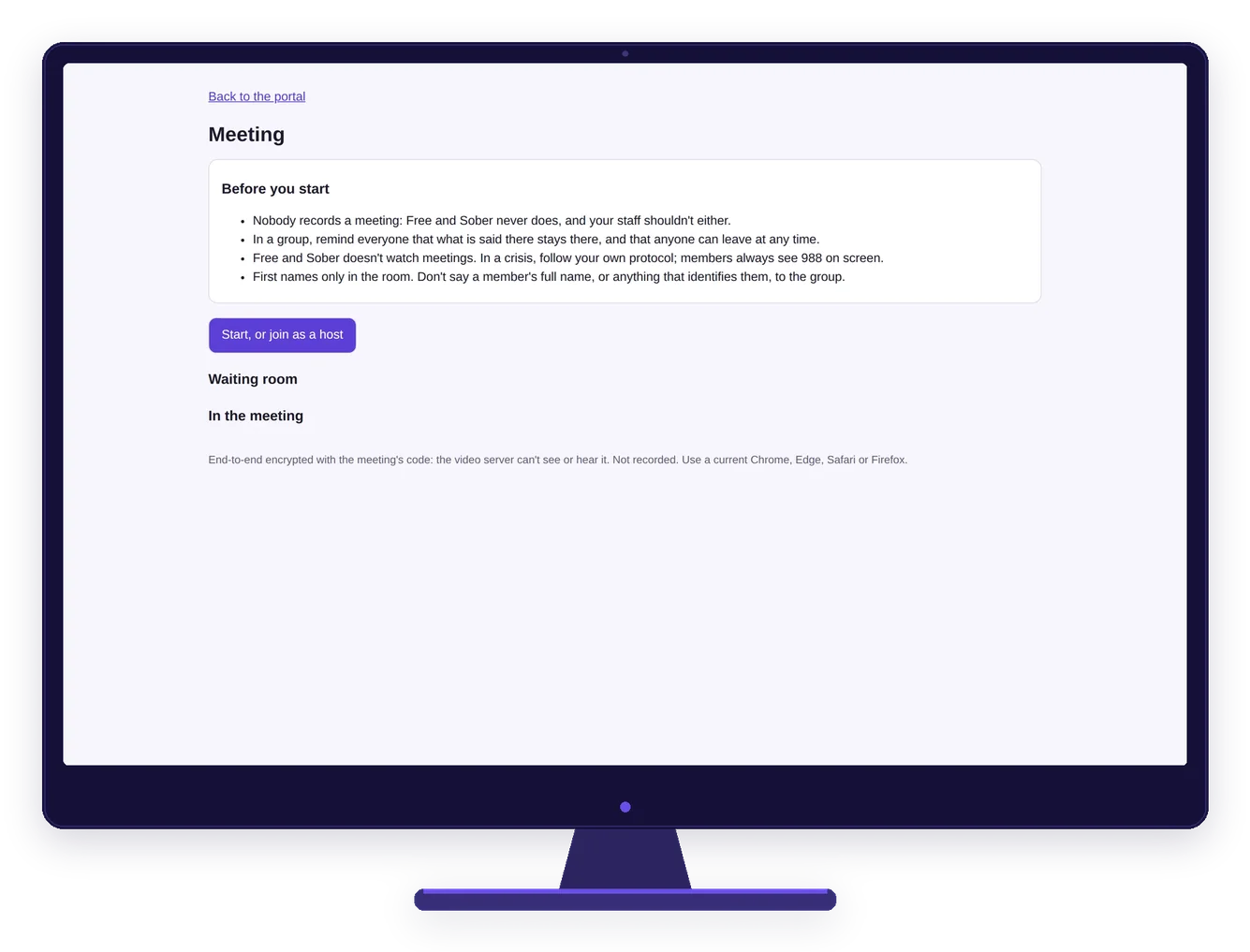
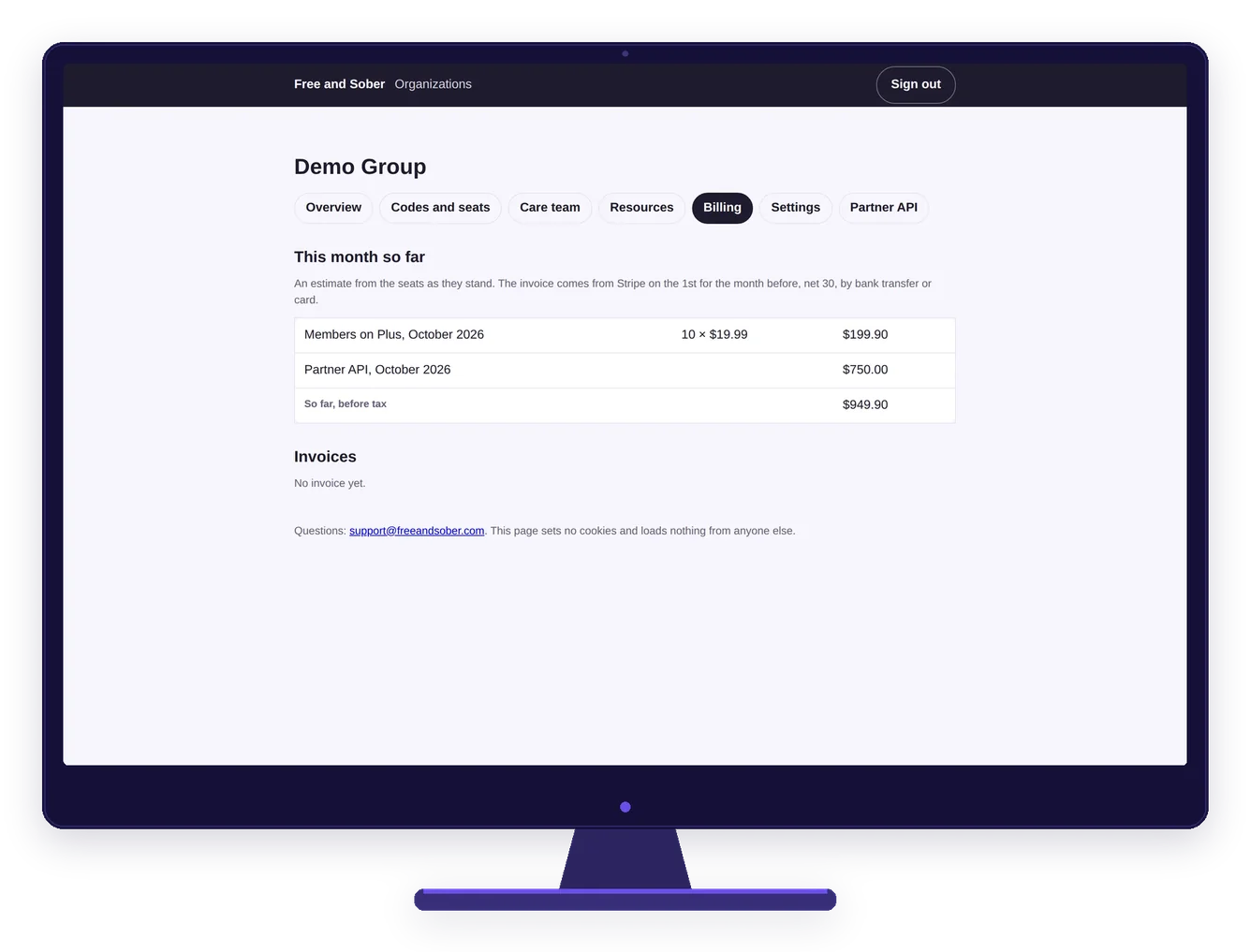
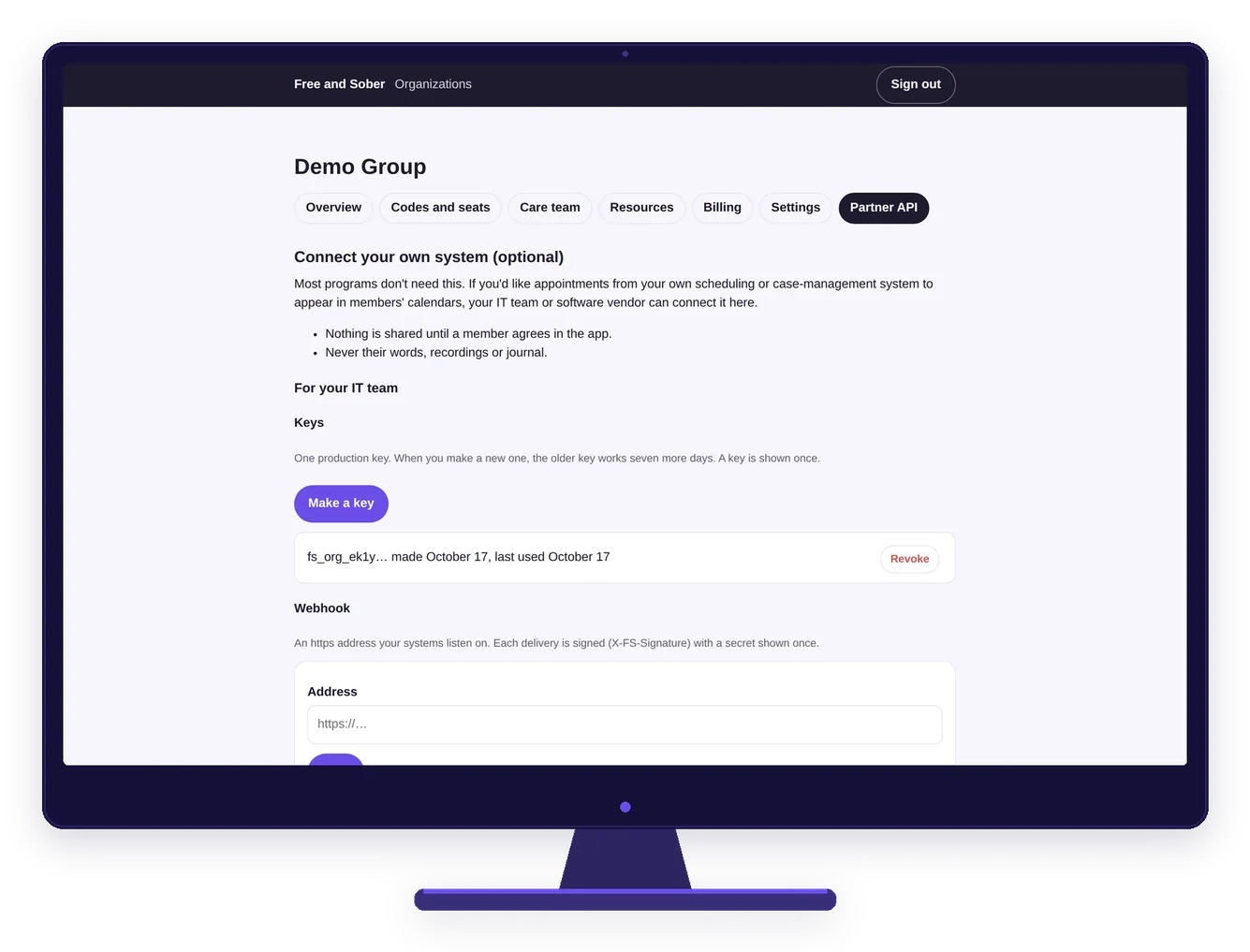
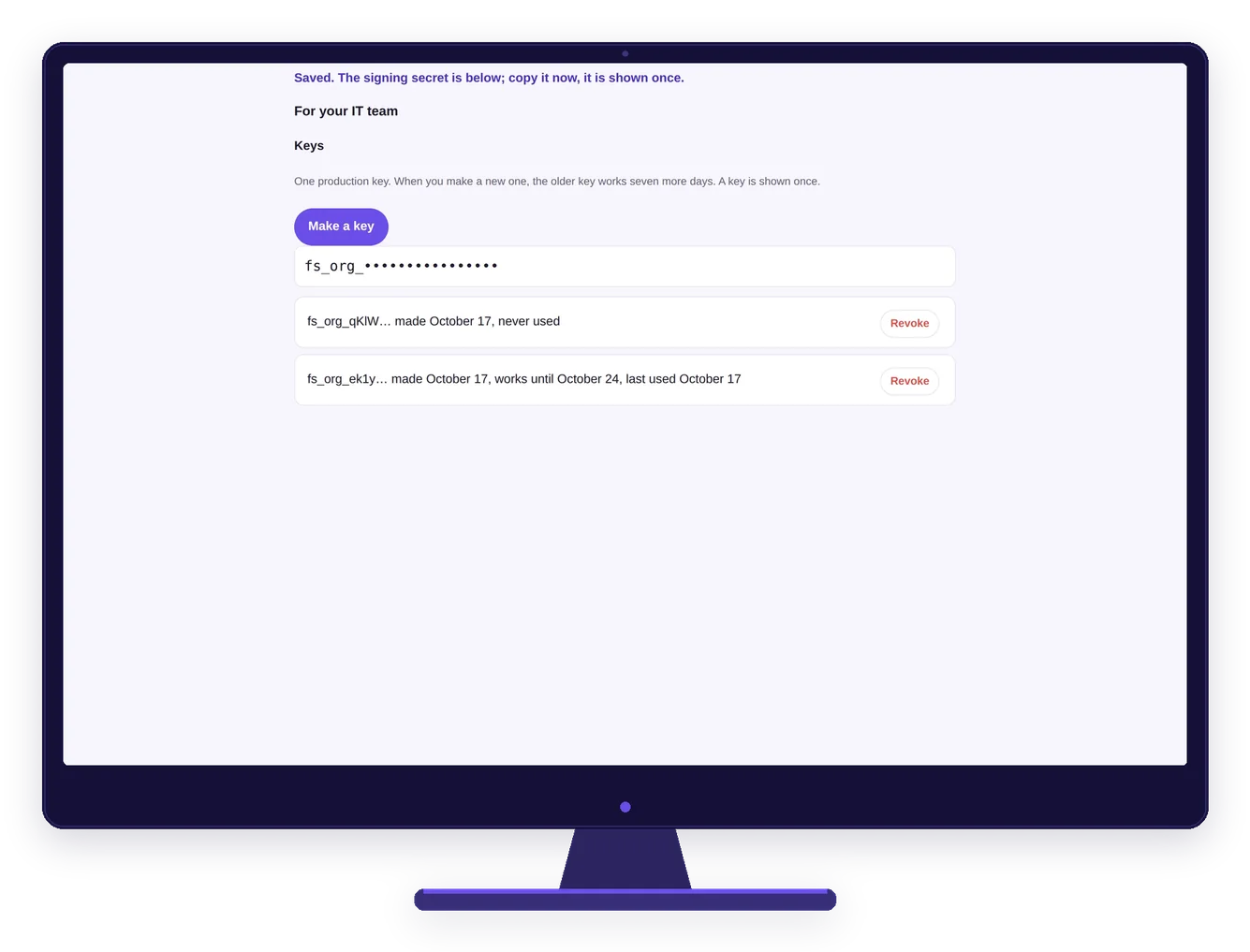
Real screens, demo data.
What members see, in the order they see it, starting with the join code you give them. From an Essentials seat to Plus to Premium, shown with a demo program. Swipe or scroll to see each one.
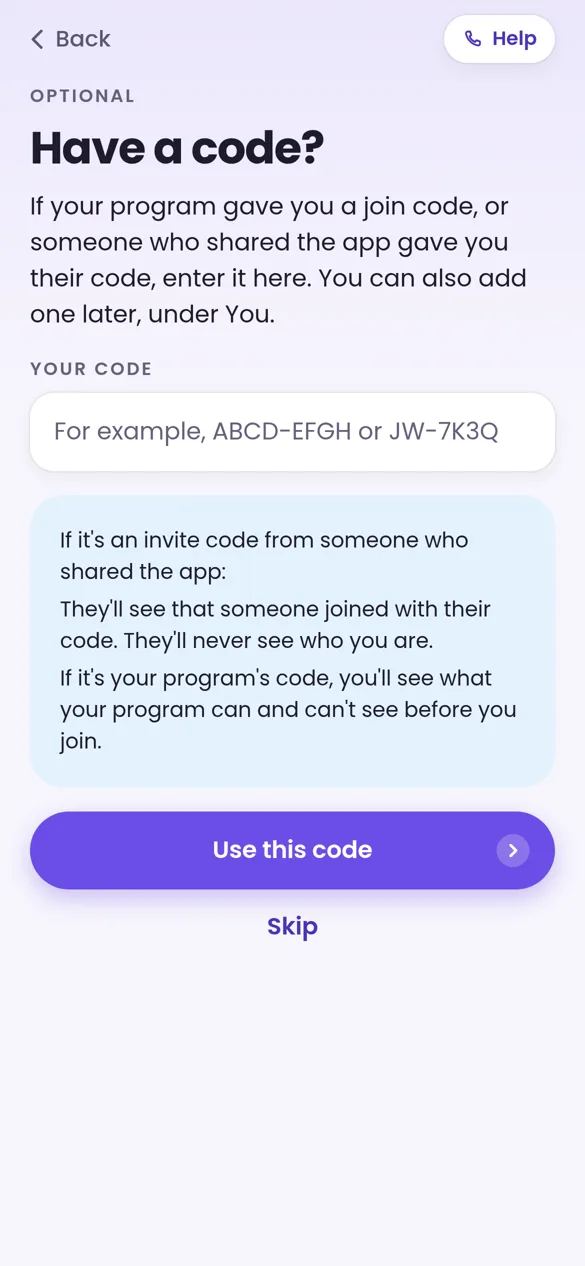
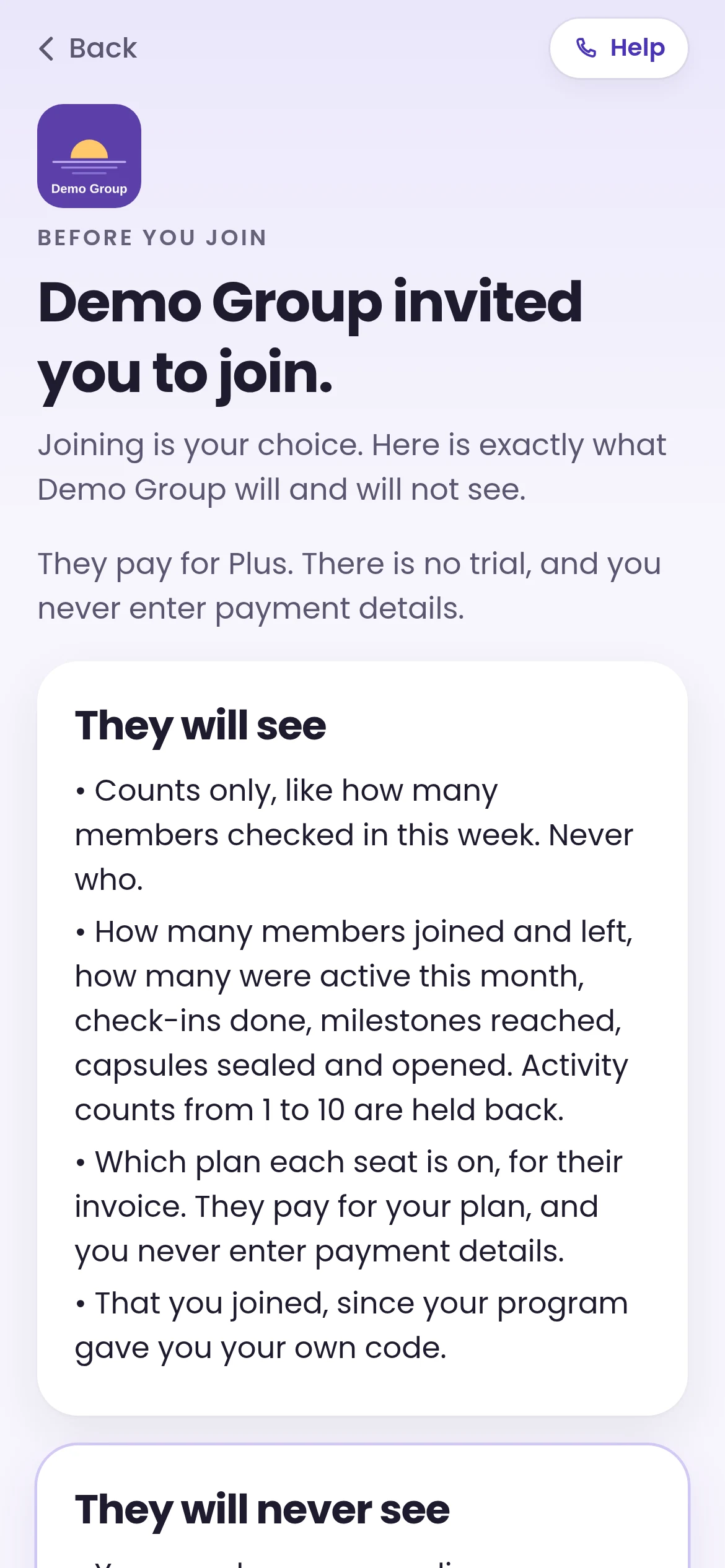
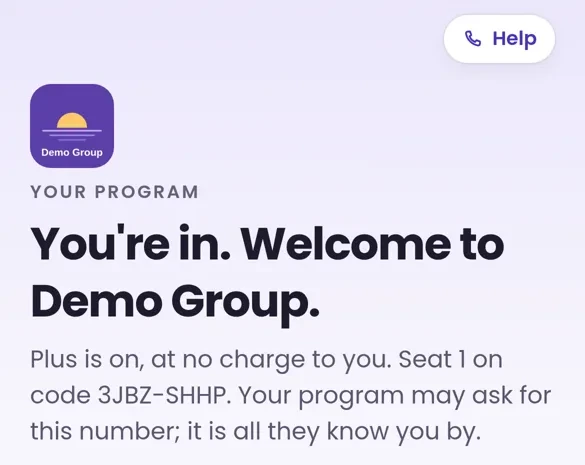
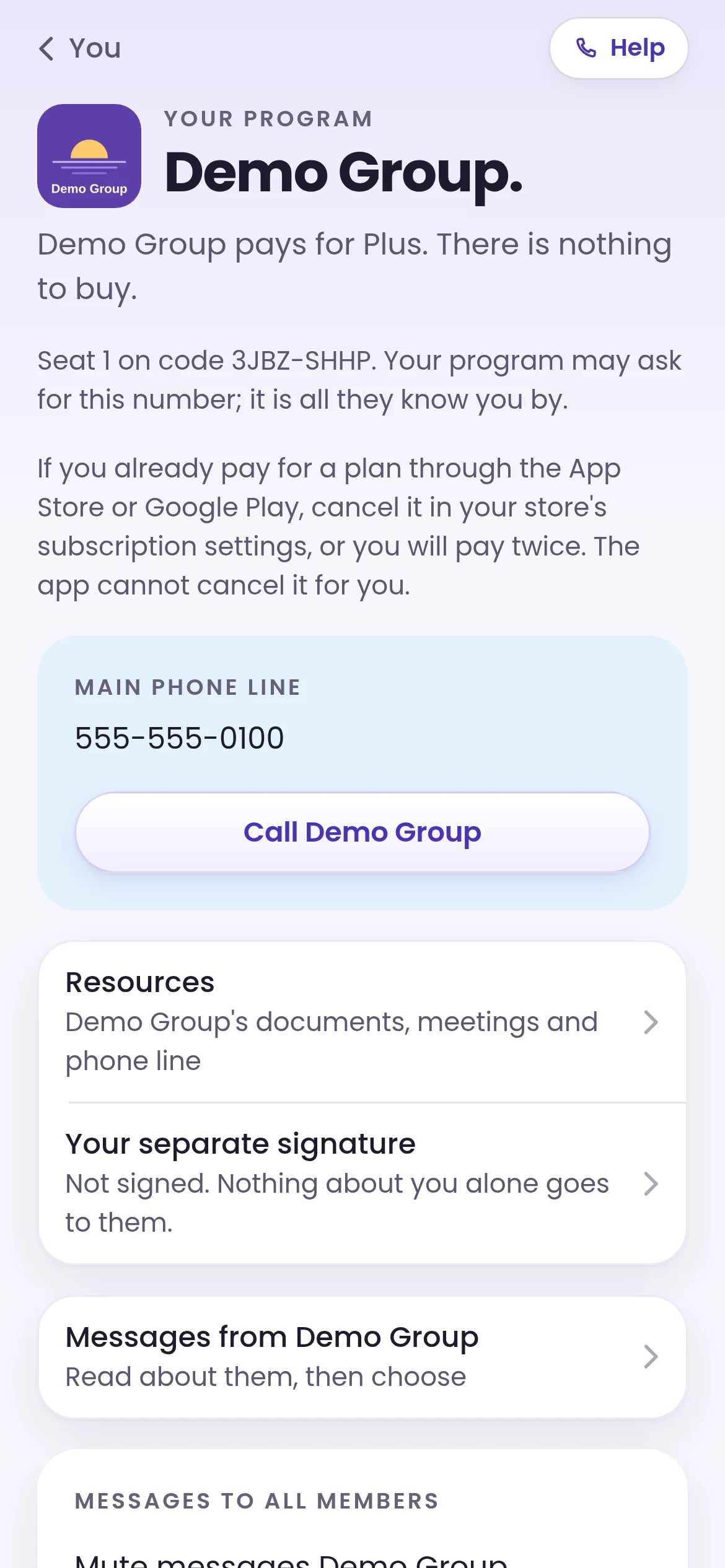
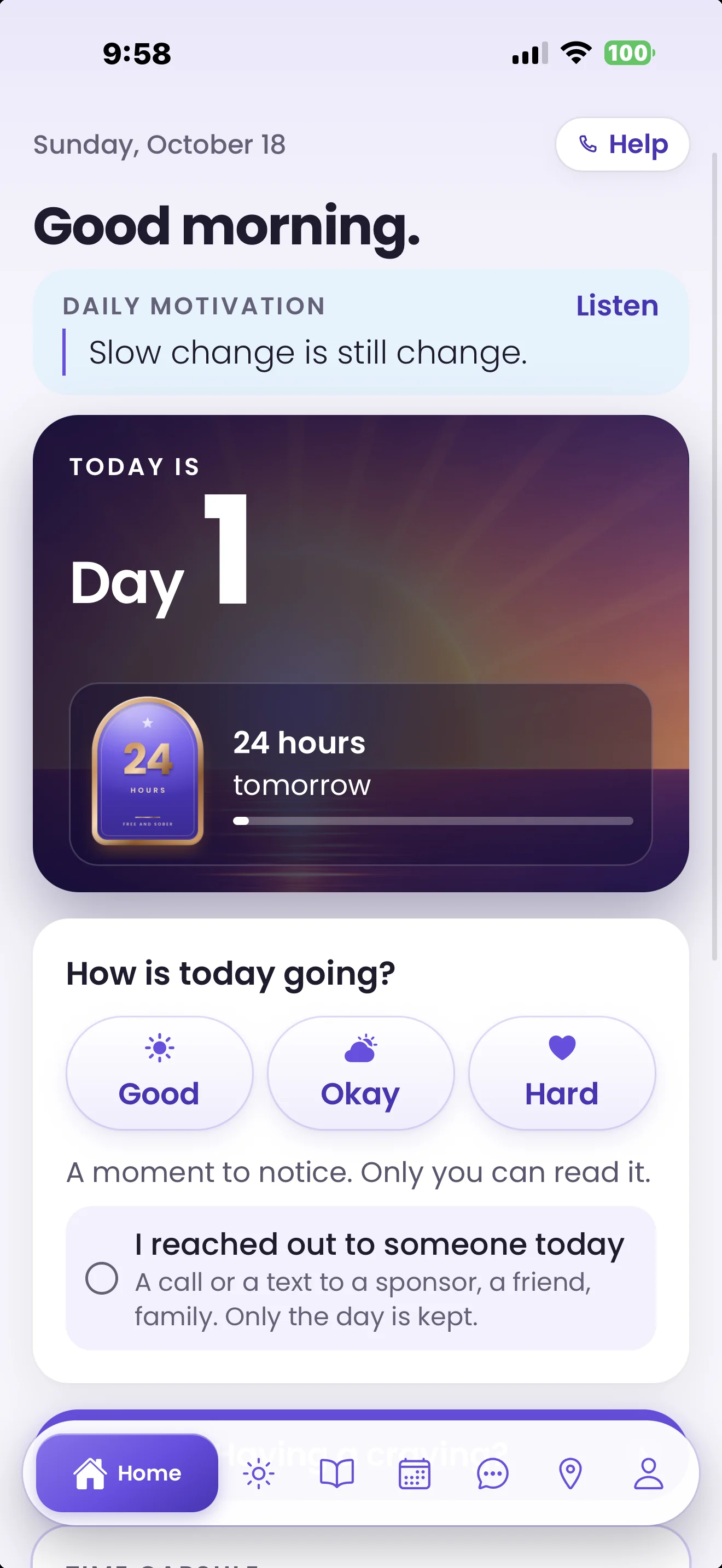
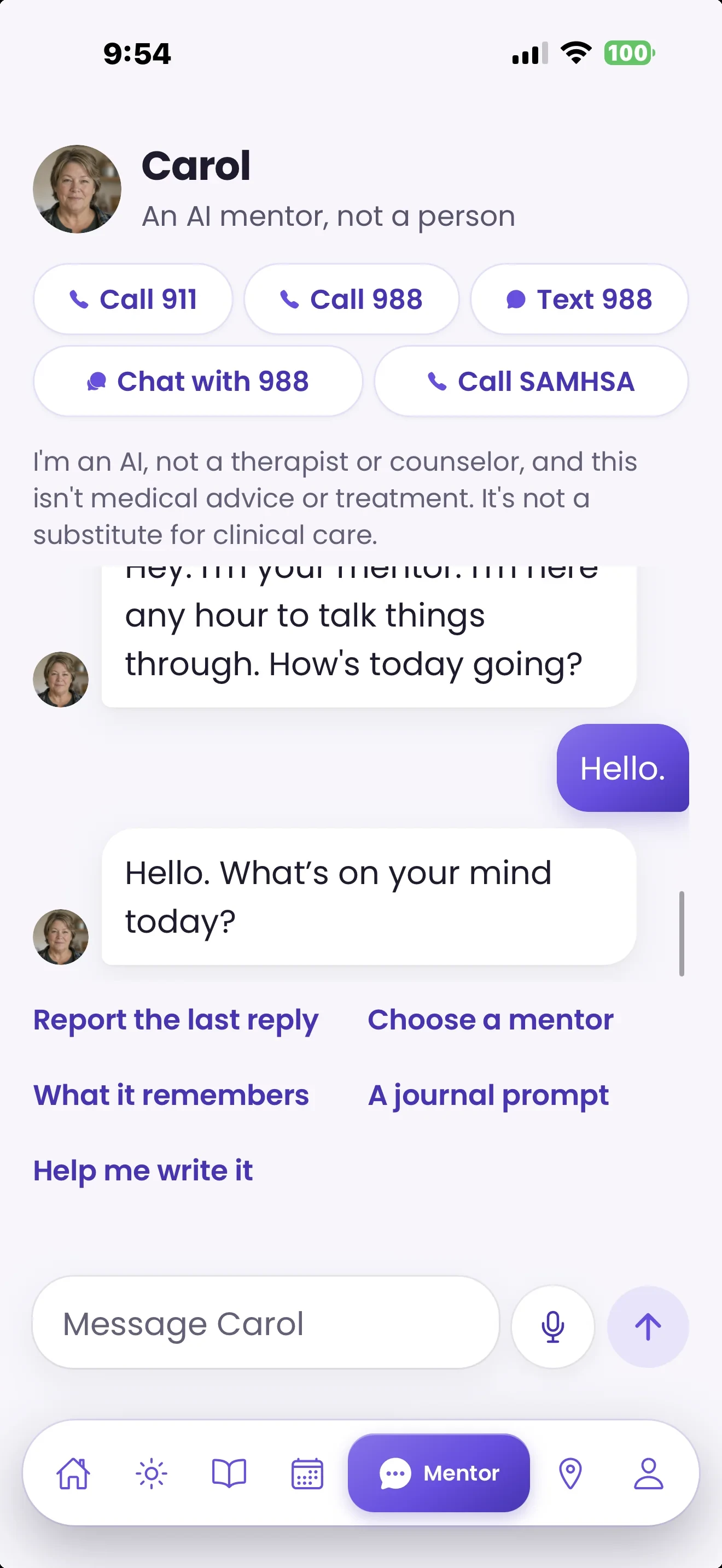
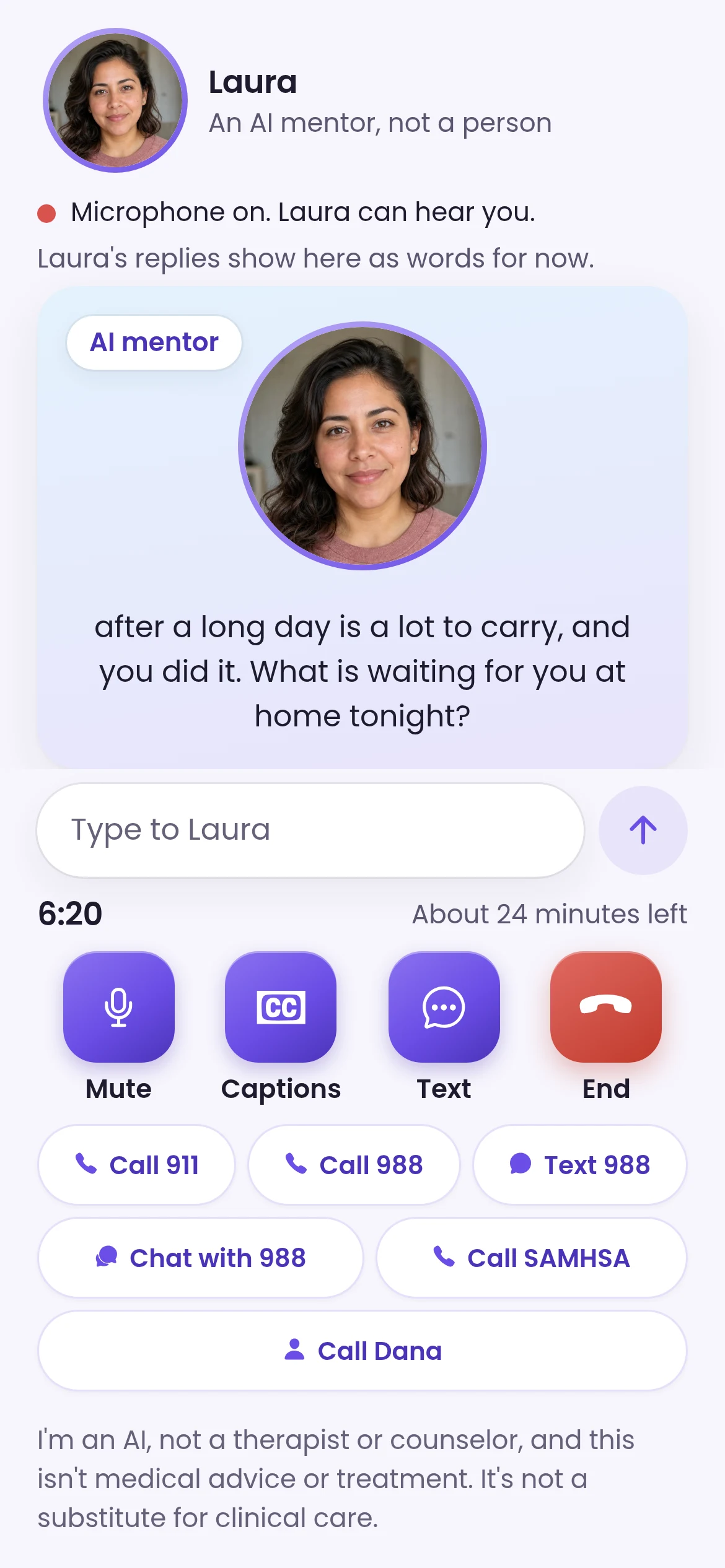
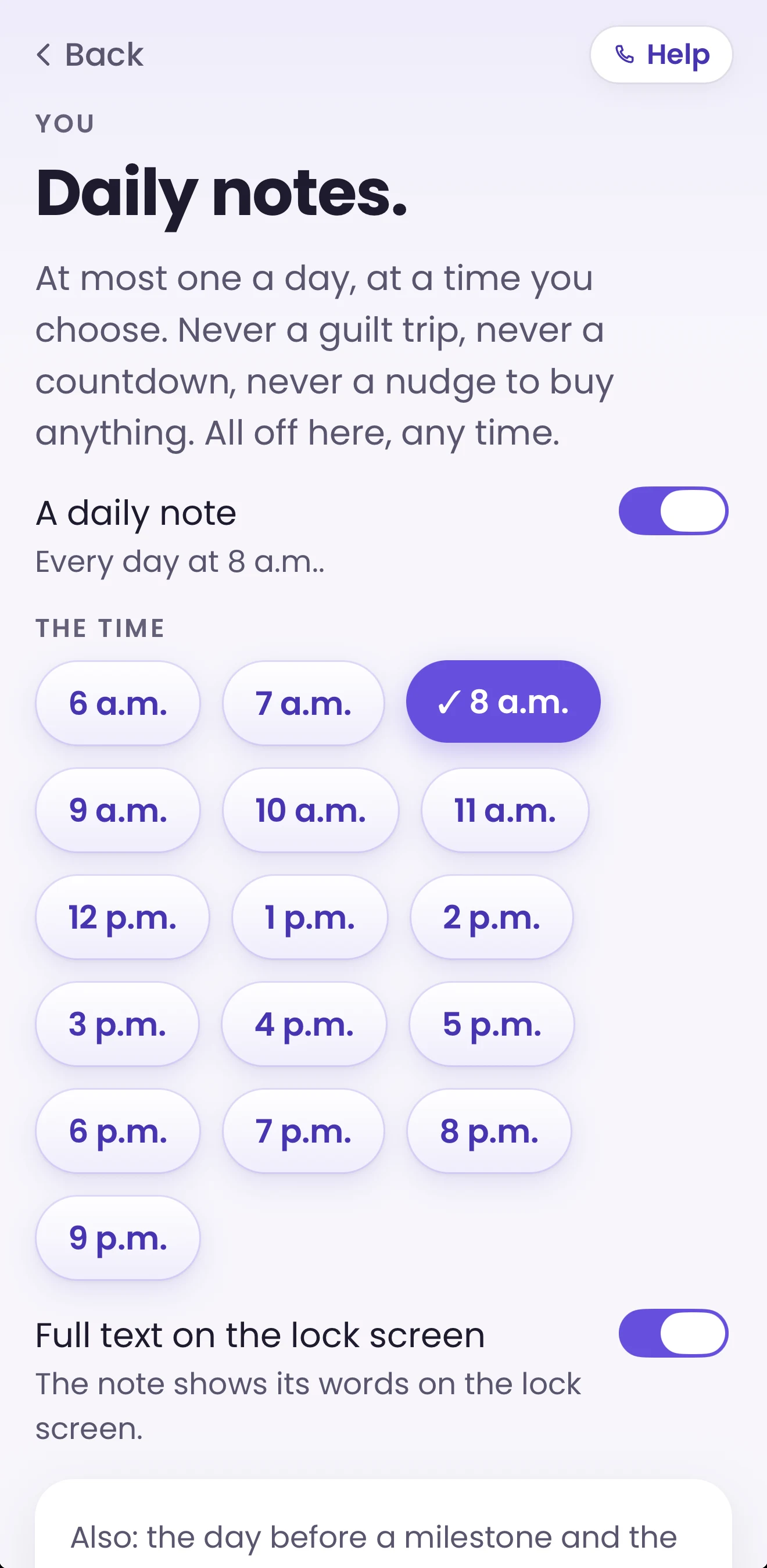
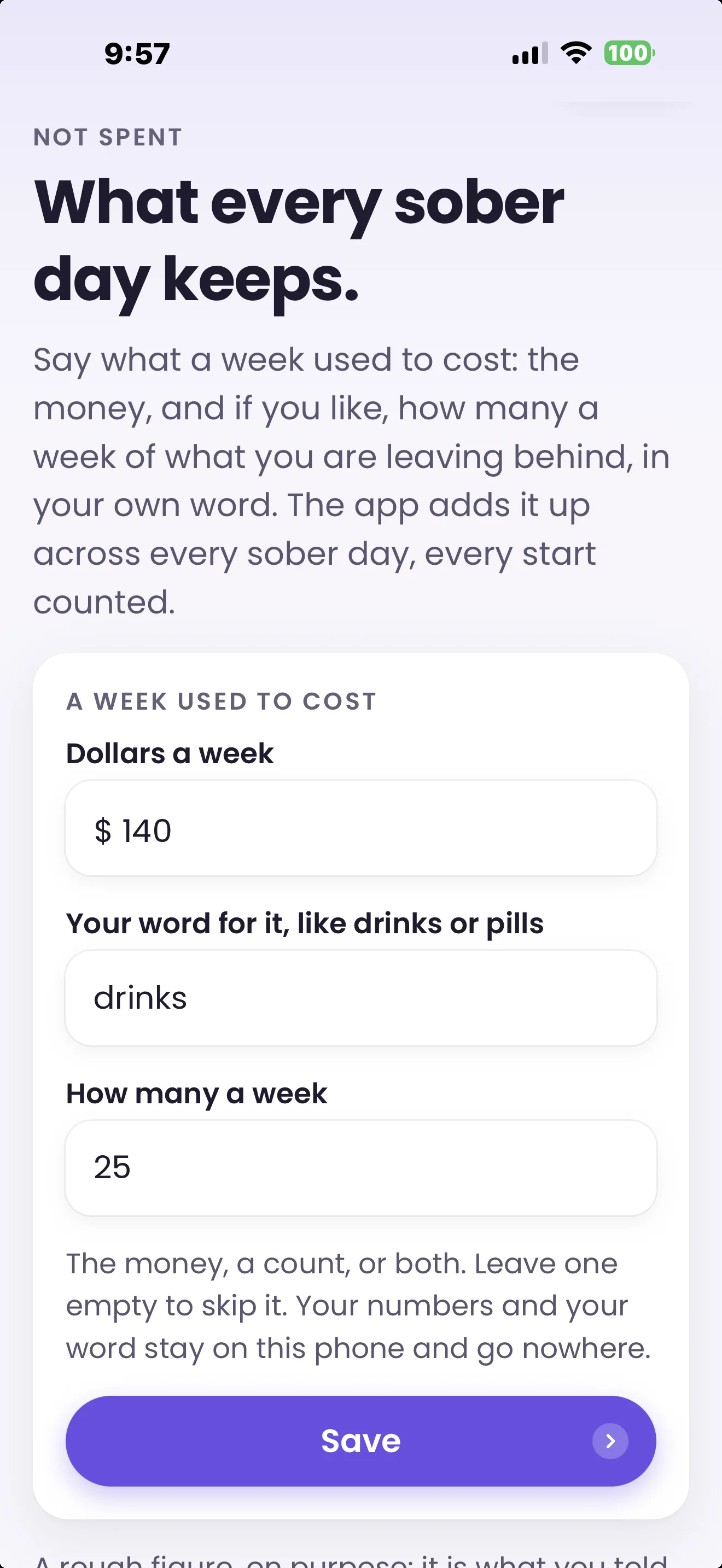
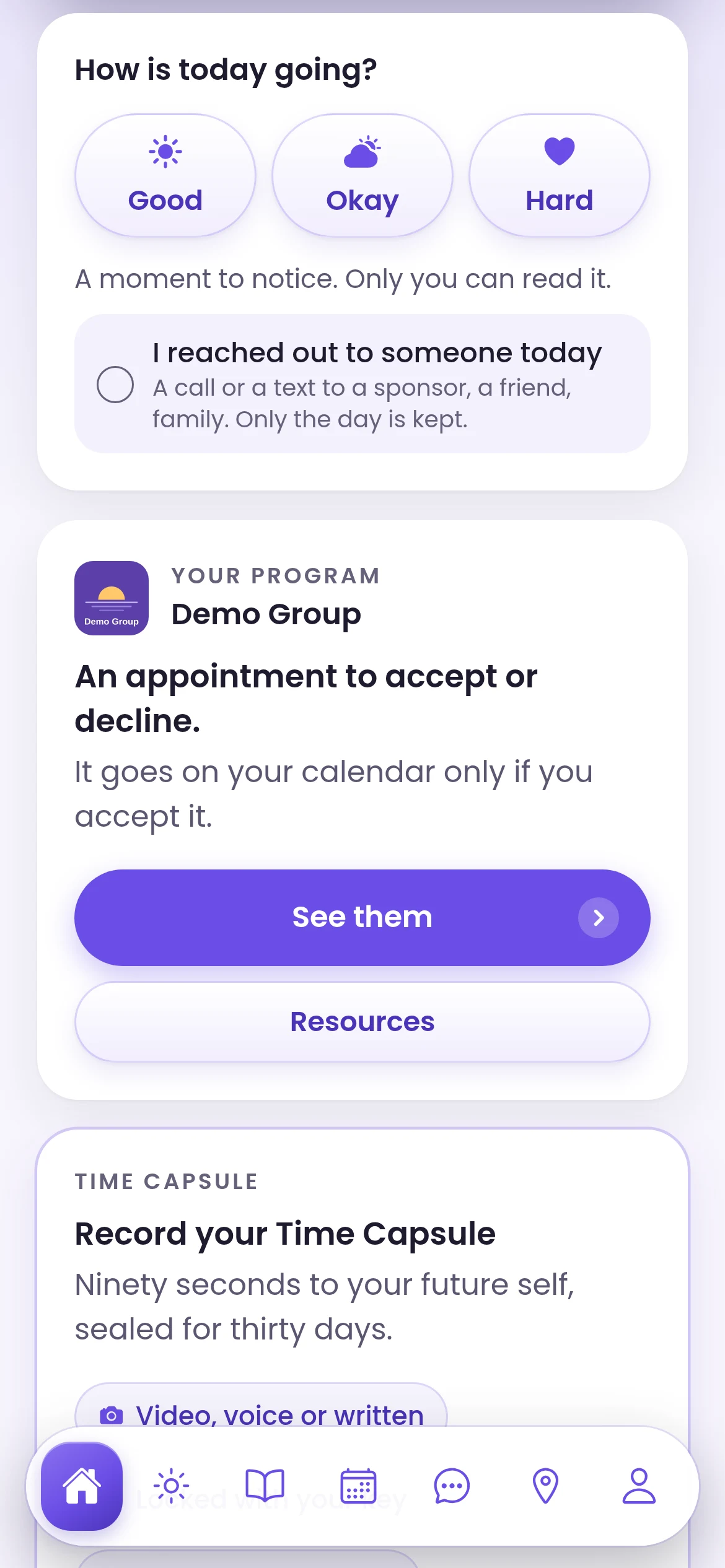
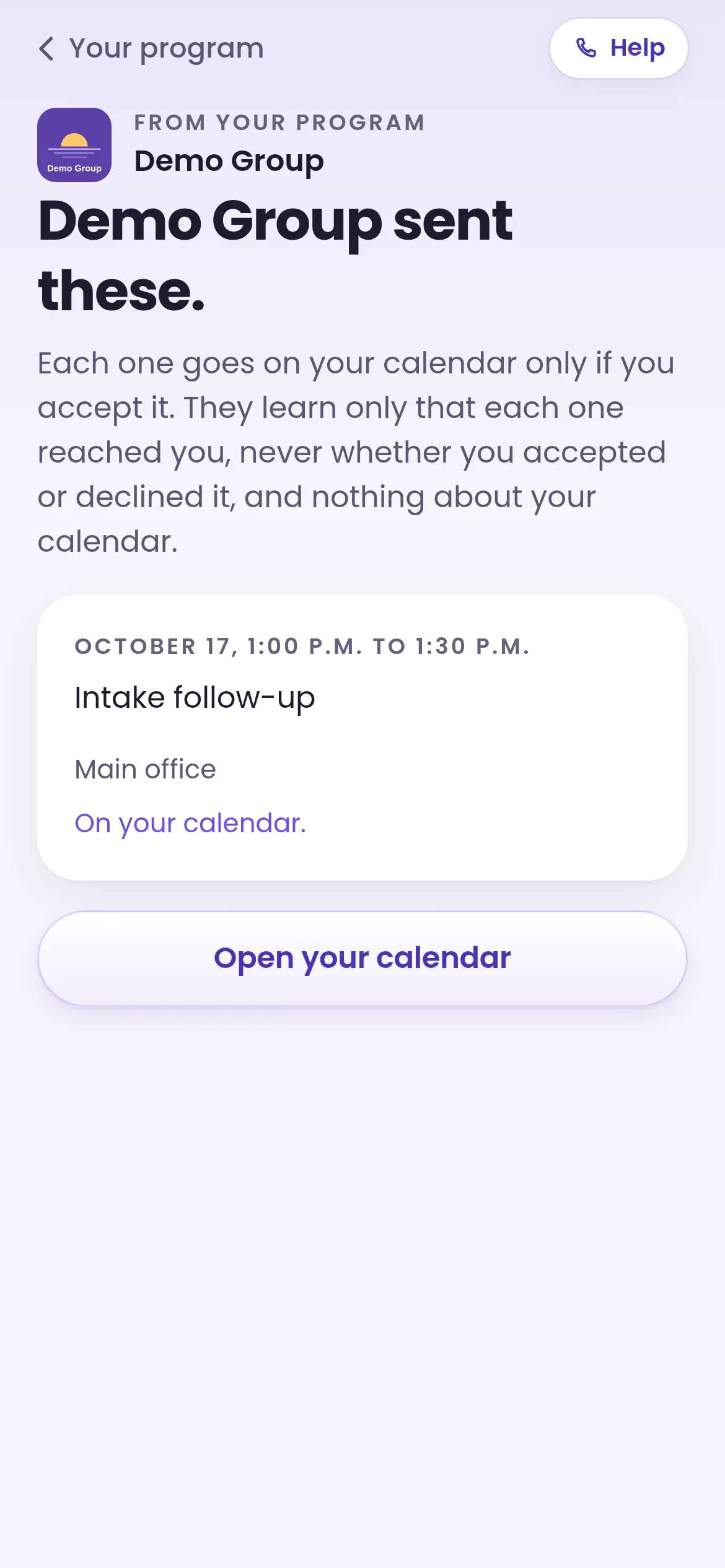
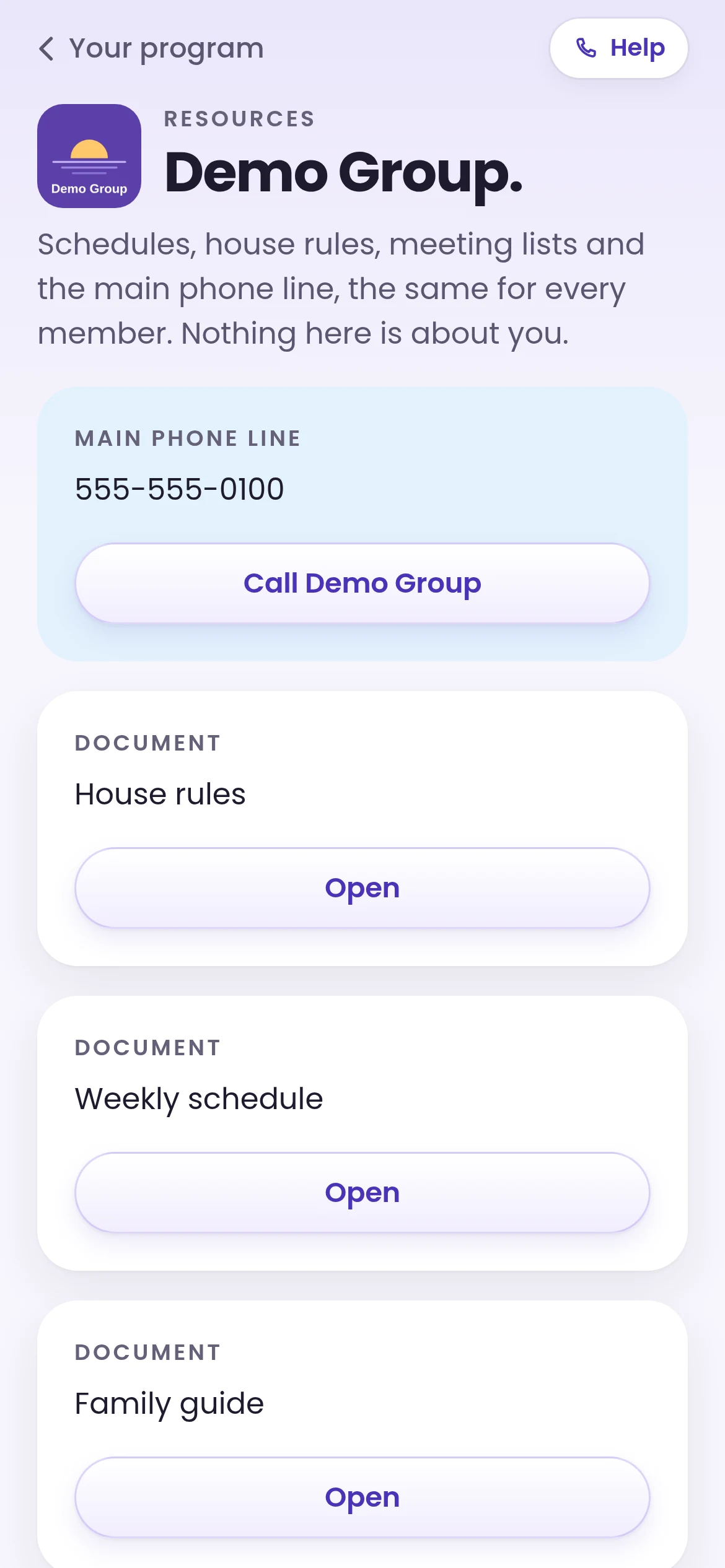
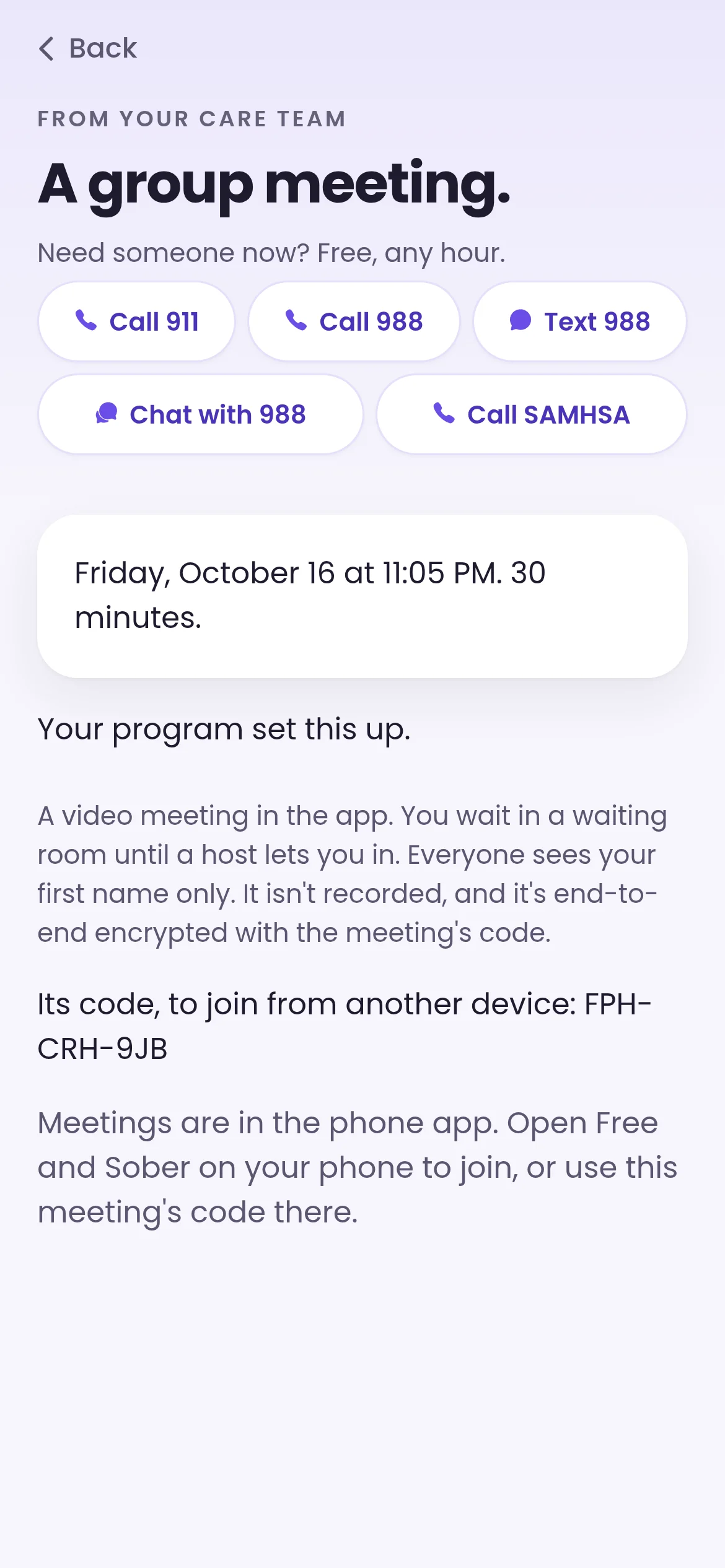
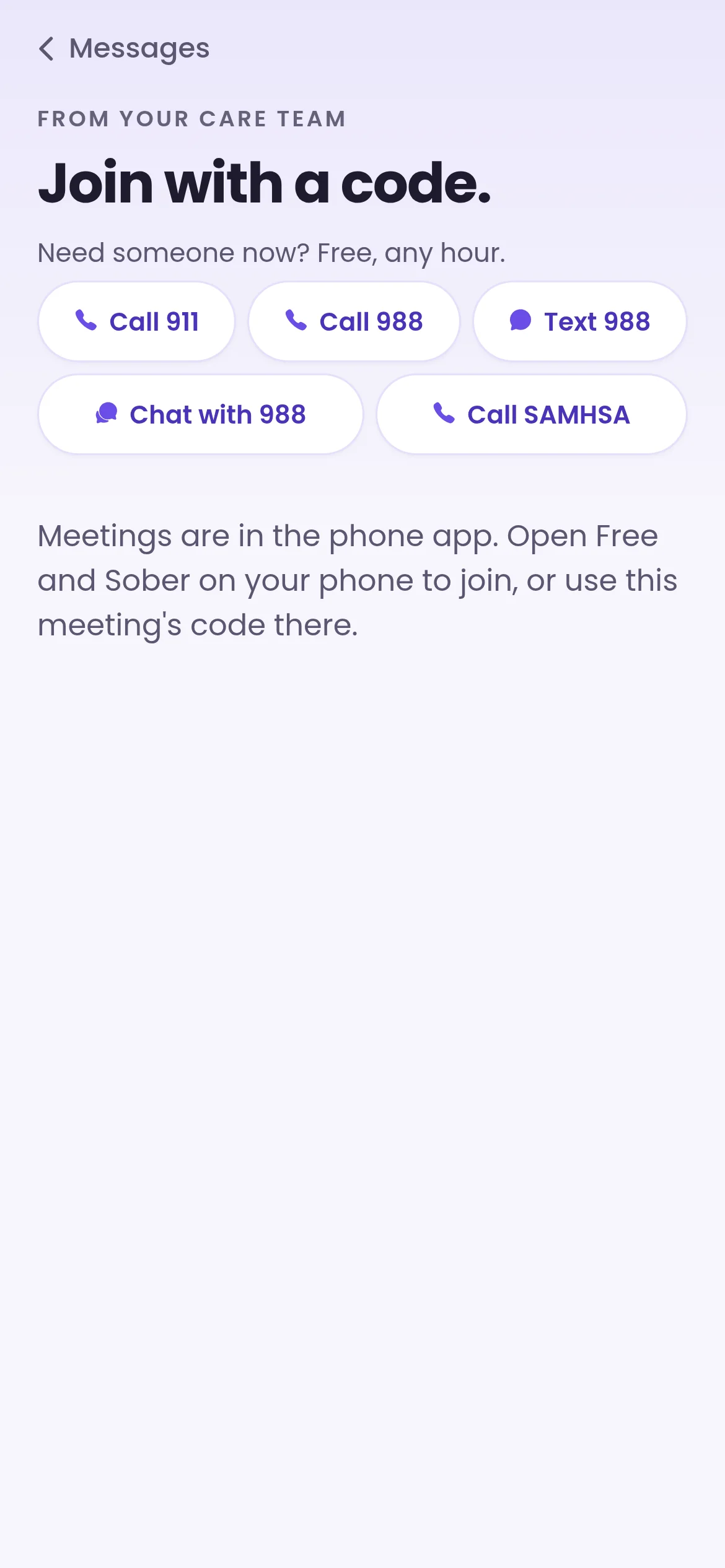
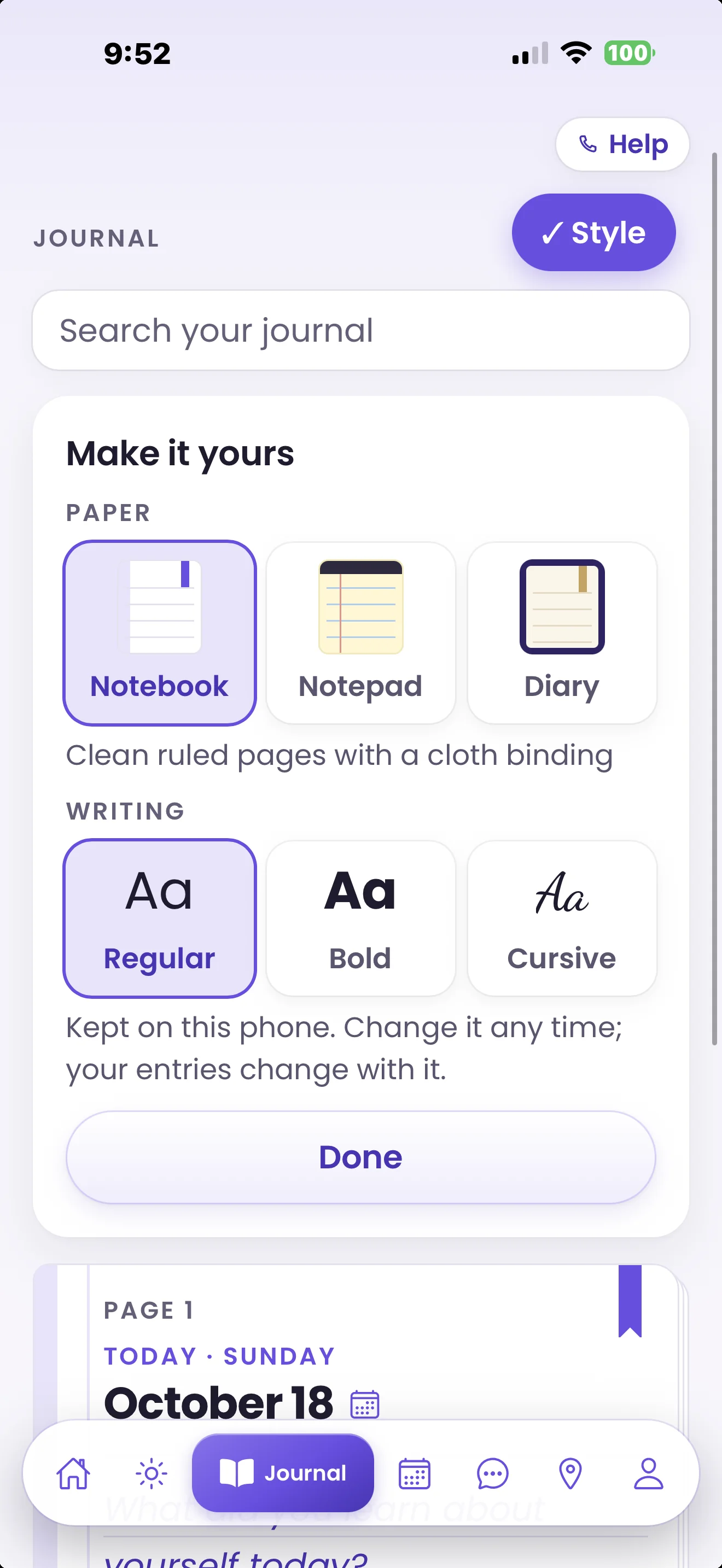
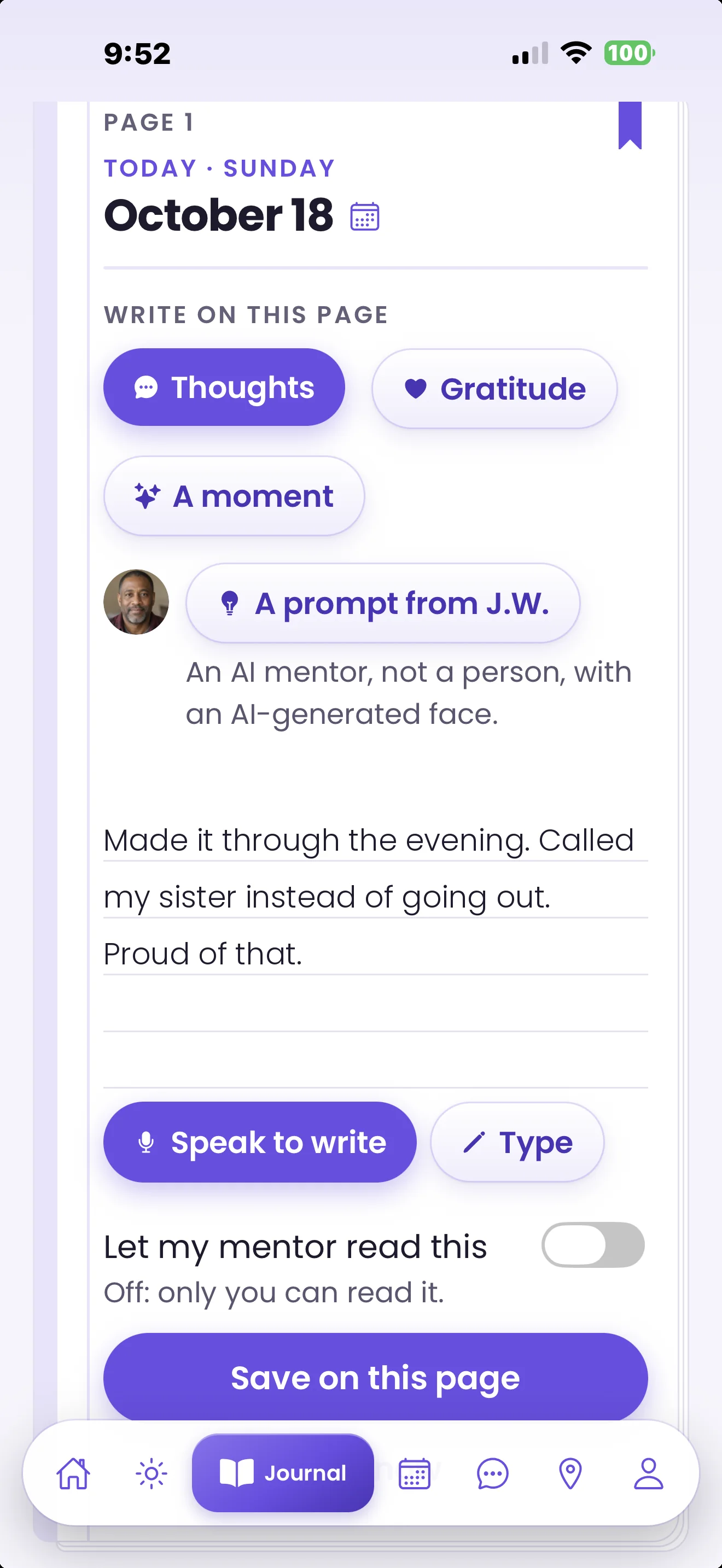
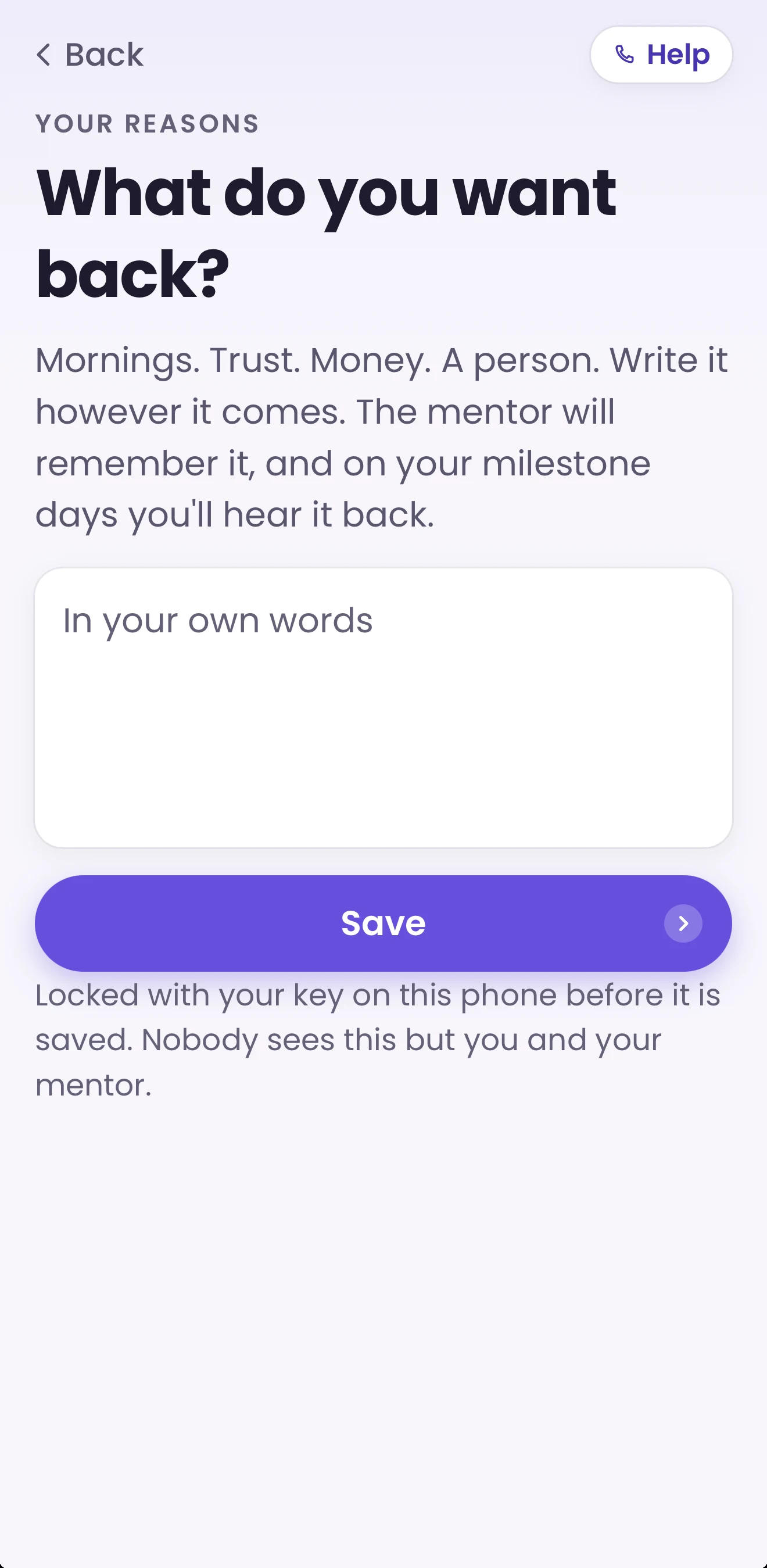
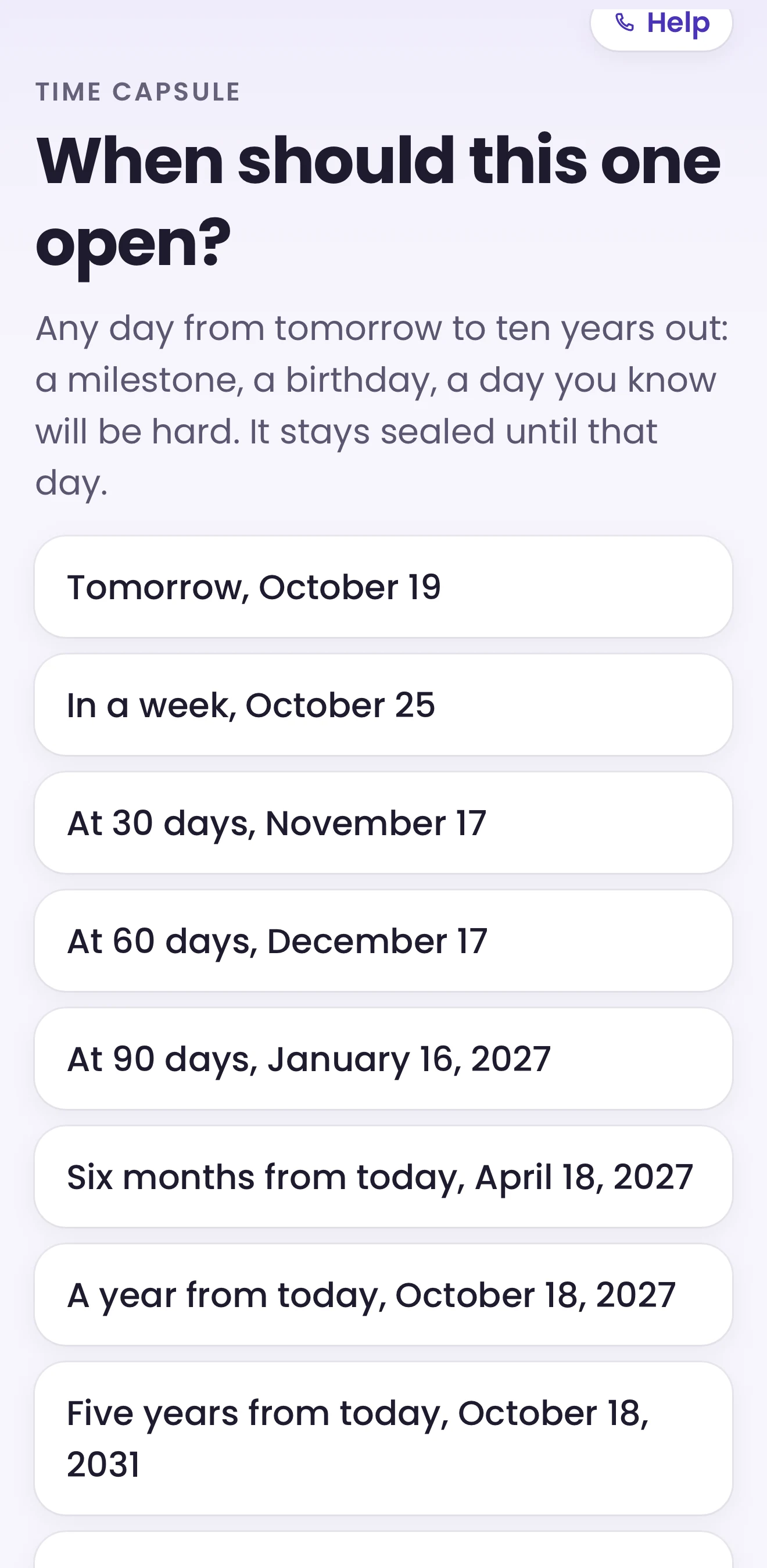
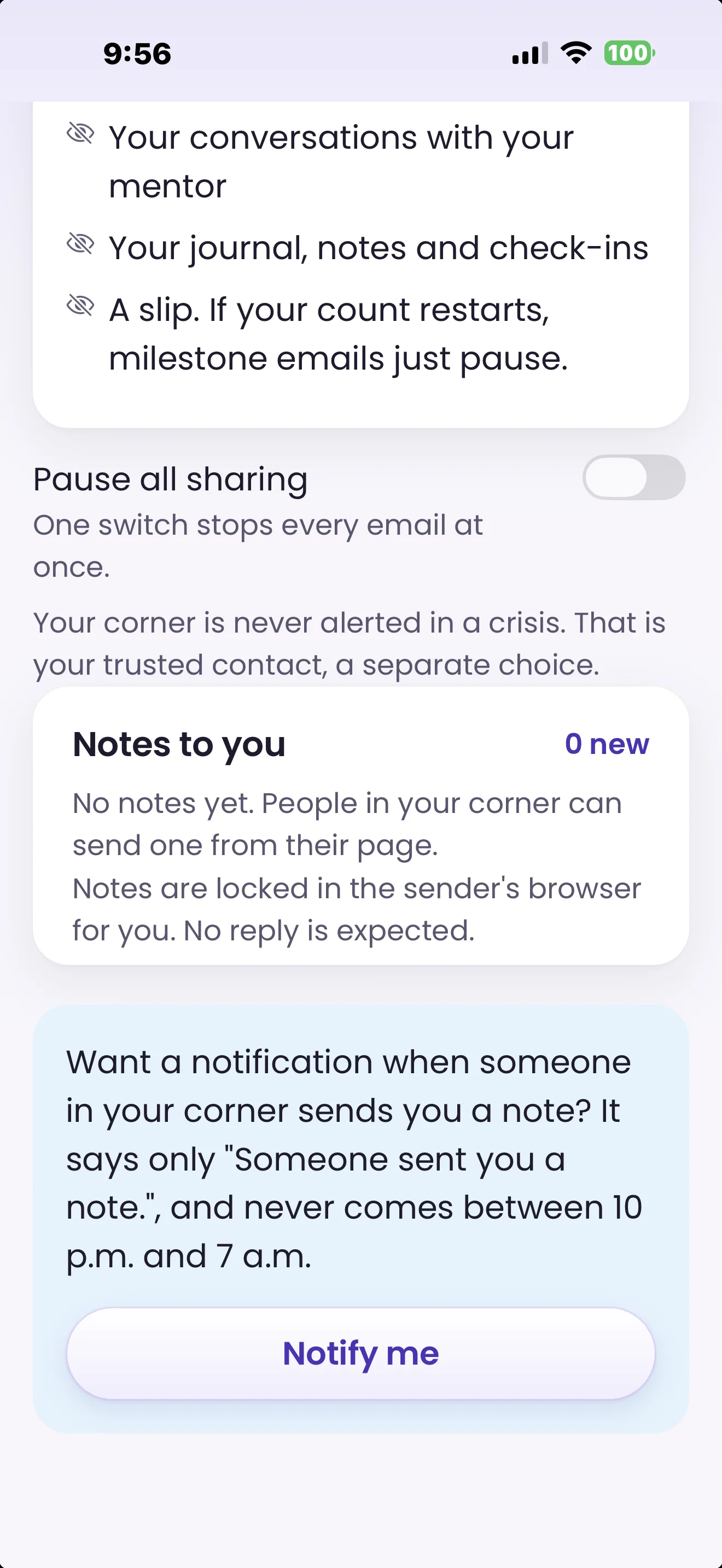
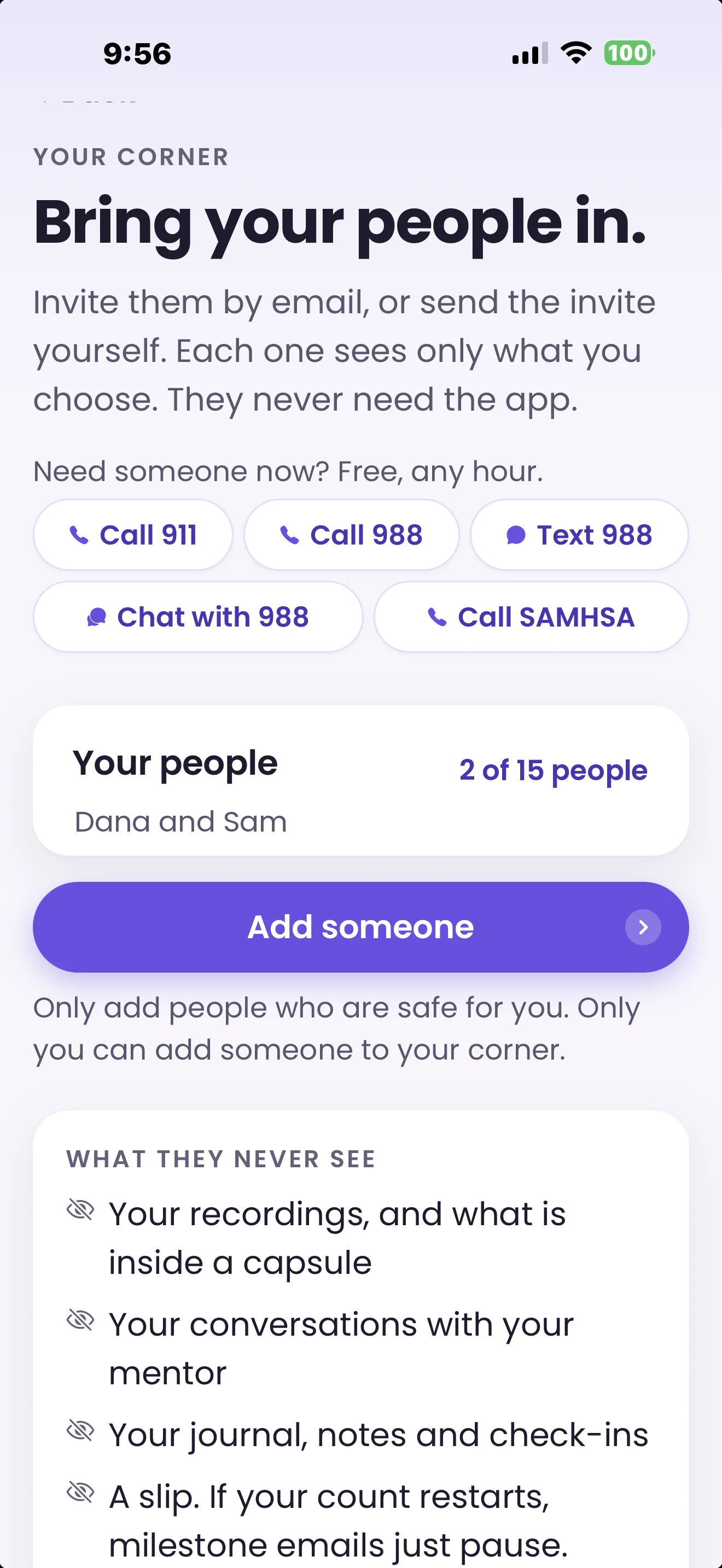
Sample content shown.
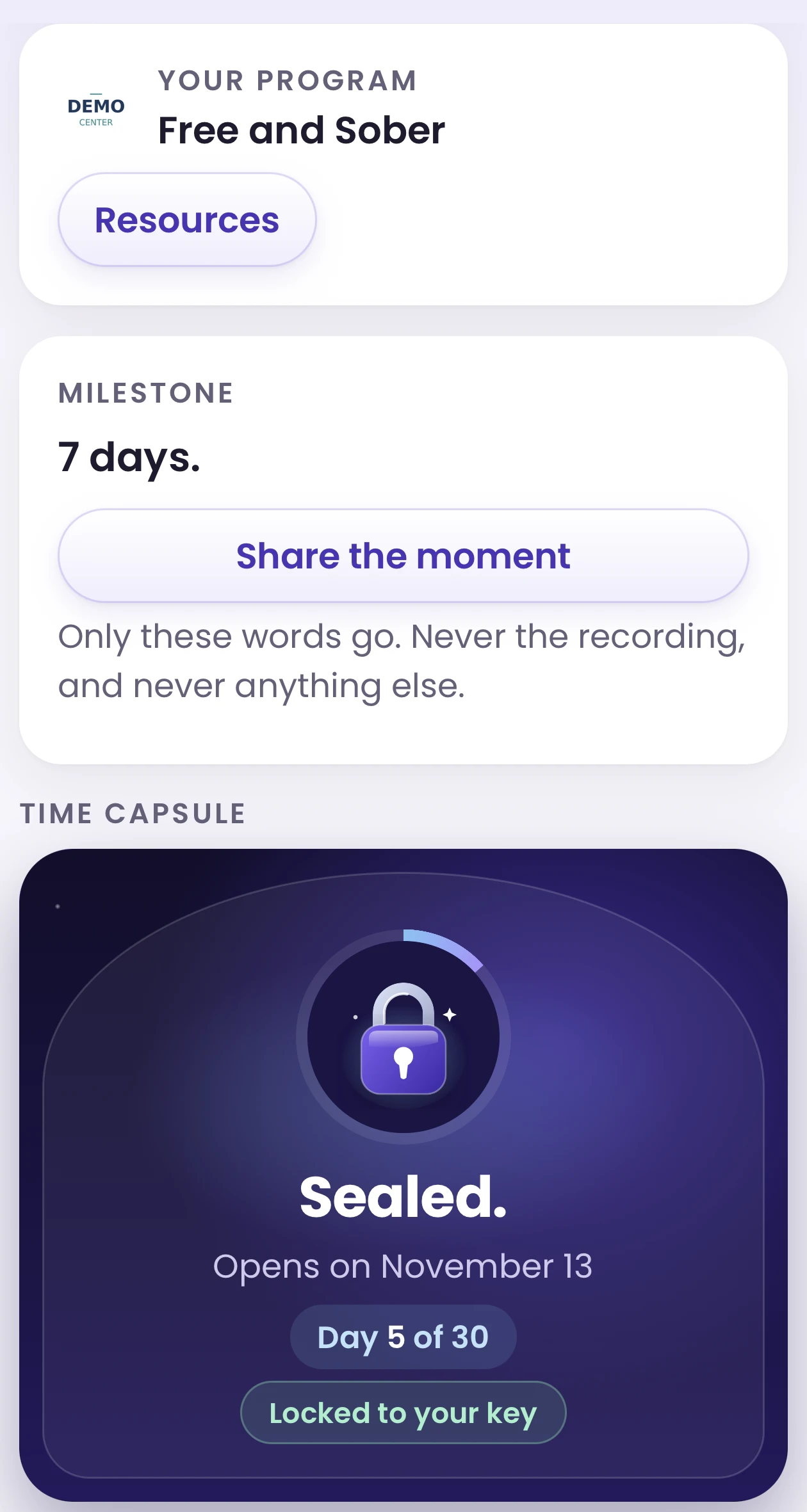
Your program
Your schedule, rules and main line, in their pocket
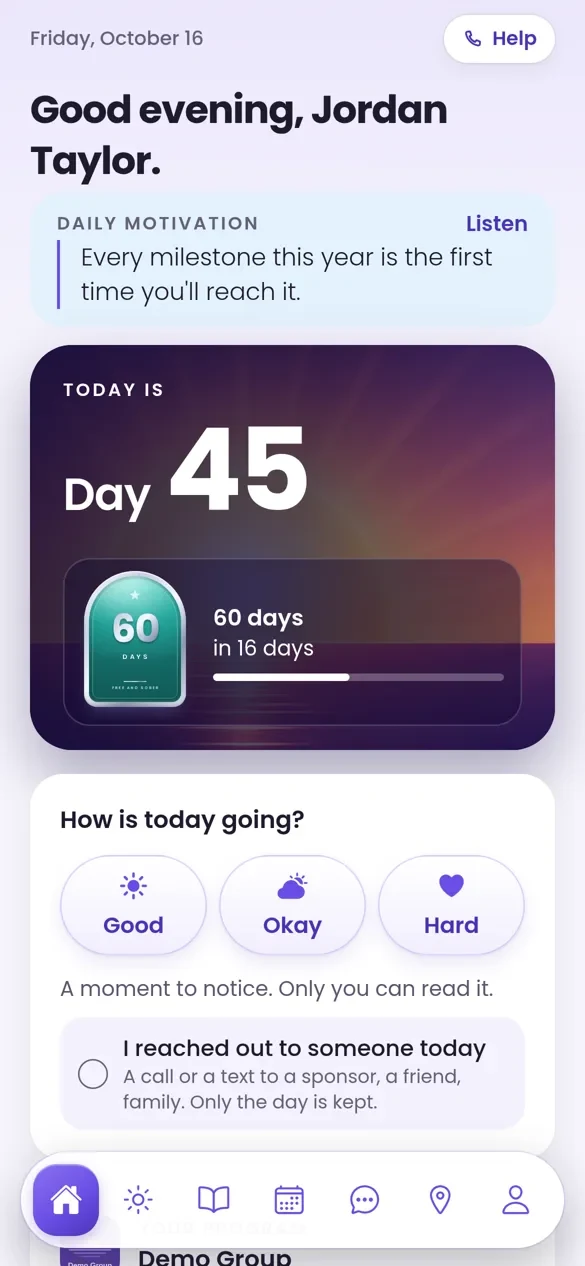
Day 30
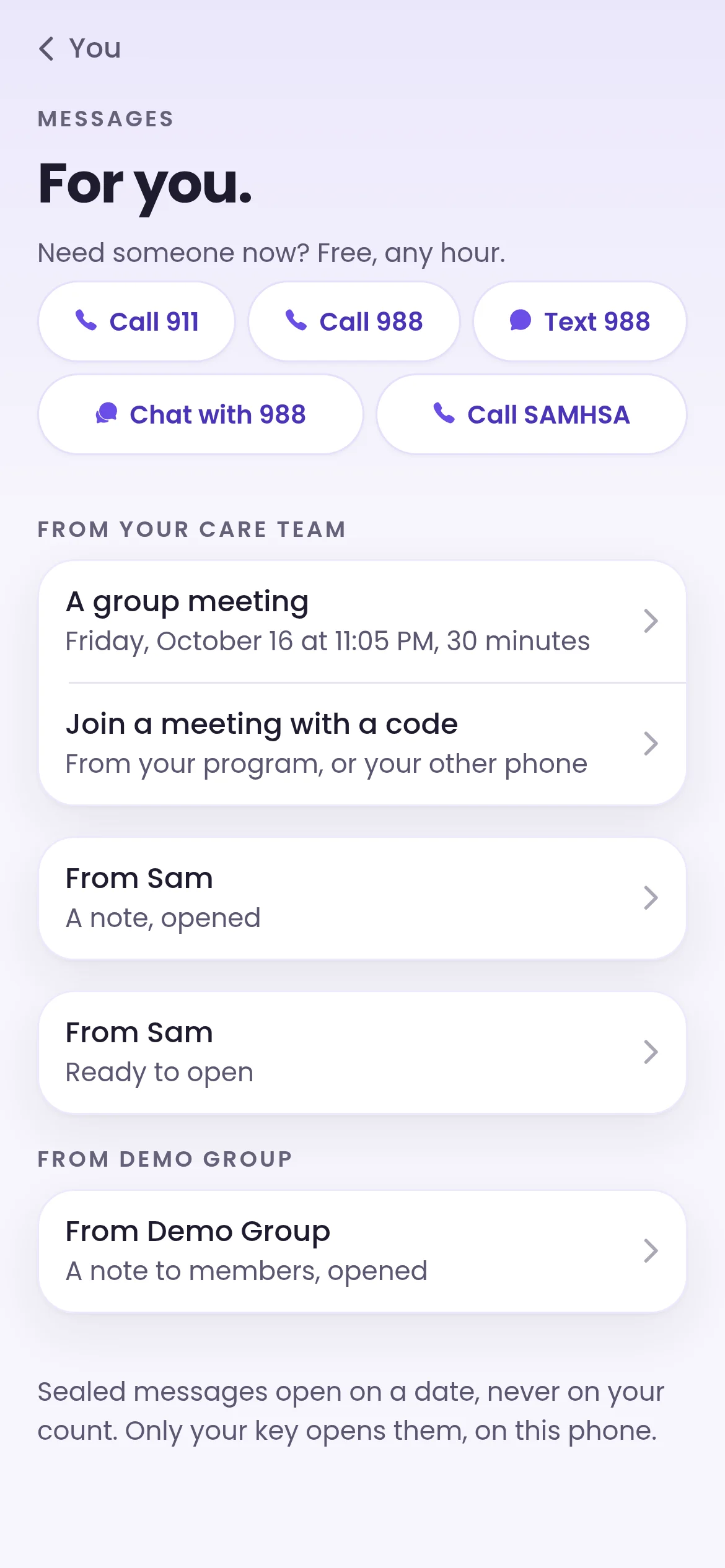
The capsule they recorded on the way out opens
What members get
What members get, during your program and after.
Your members get the whole Free and Sober app, with your name on it. They can start during your program, whenever they have their phones, and keep it after discharge, so you never have to change your phone policy.
Their plan, on you
You pick Essentials, Plus or Premium. Members get no trial to run out and never enter payment details.
A capsule on the way out
A message to themselves on day one. It opens 30 days later, at the end of the first month.
An AI mentor, by message and voice
A space to talk things through, any hour. It's an AI, not a therapist or counselor, and their conversations stay private to them.
Your materials, in their pocket
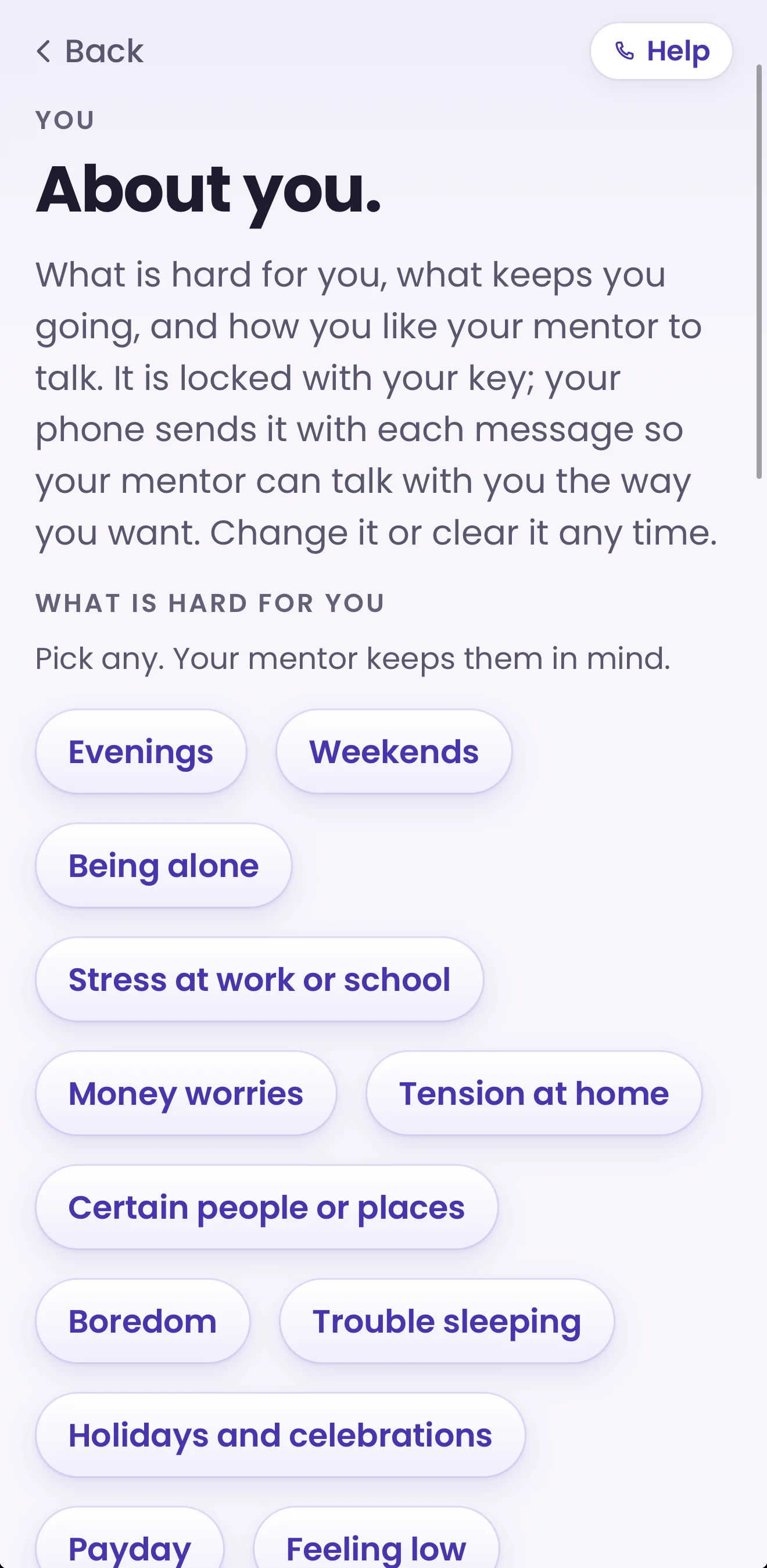
Schedules, house rules, meeting lists and your main phone line, in Resources, under Your program. The same for every member.
Crisis lines, always
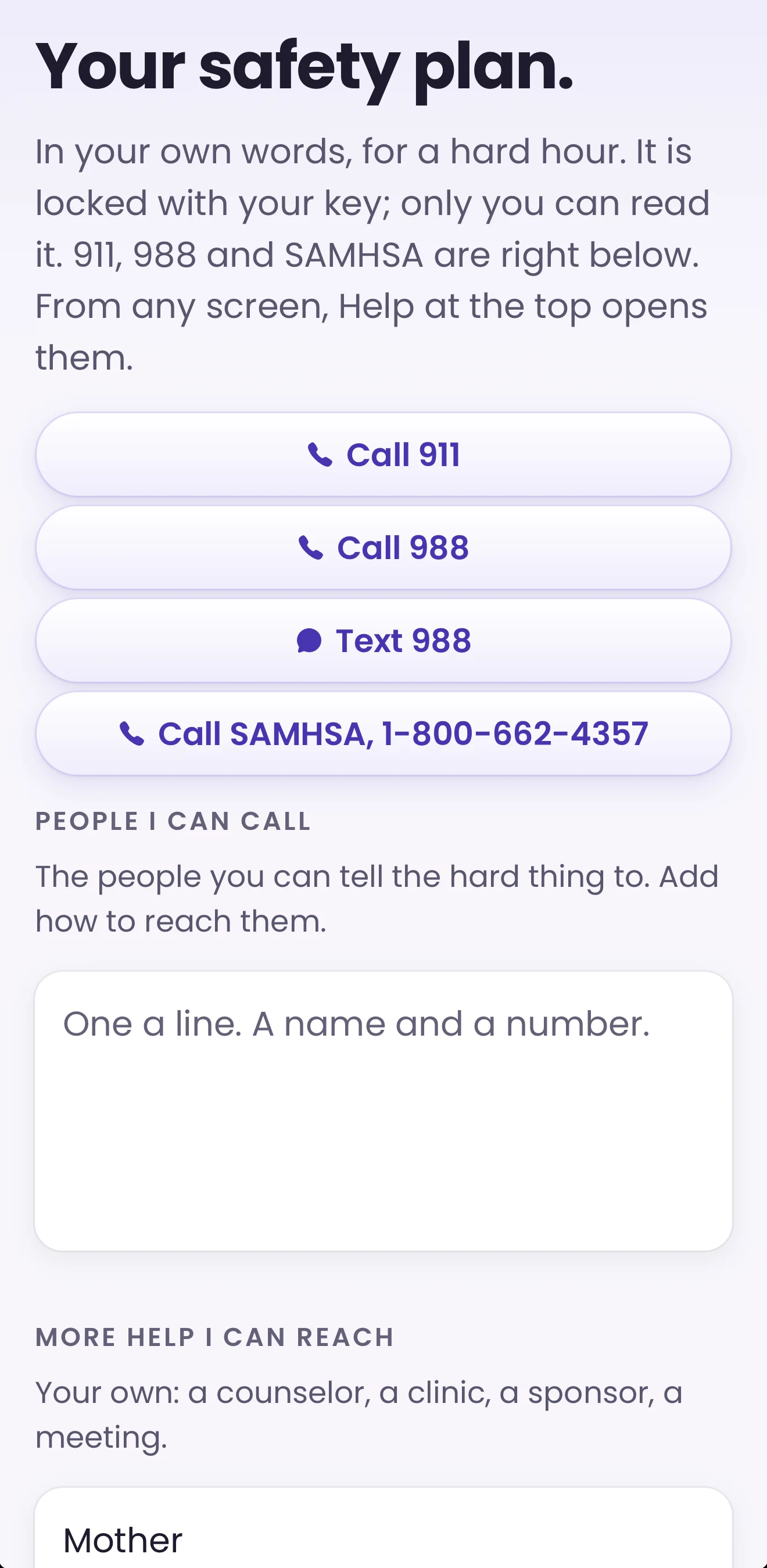
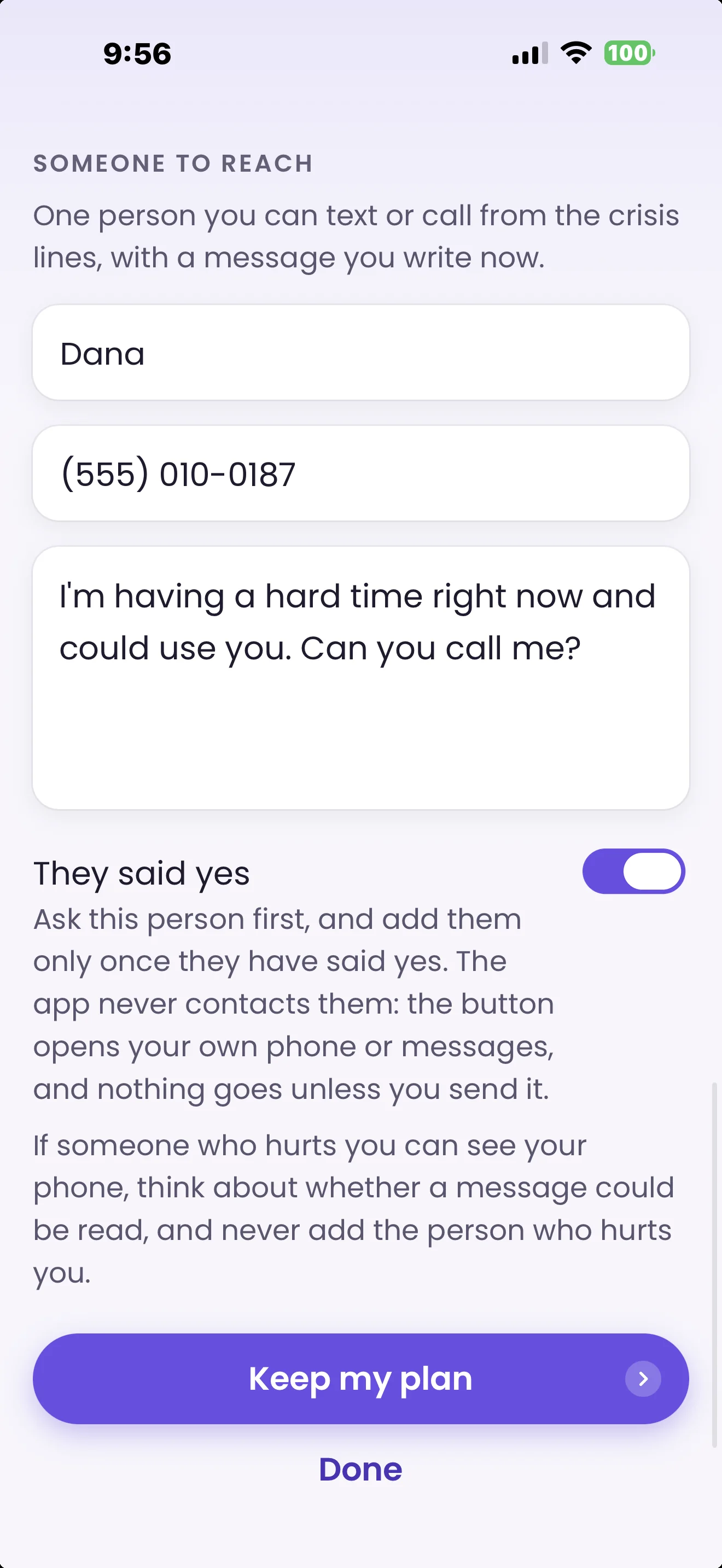
988 and 911, a safety plan and a trusted contact, open whether or not anyone pays.
Theirs to keep
The account is always theirs. When a seat ends, they keep every day, capsule and note.
The member mentor
An AI mentor for every member, any hour.
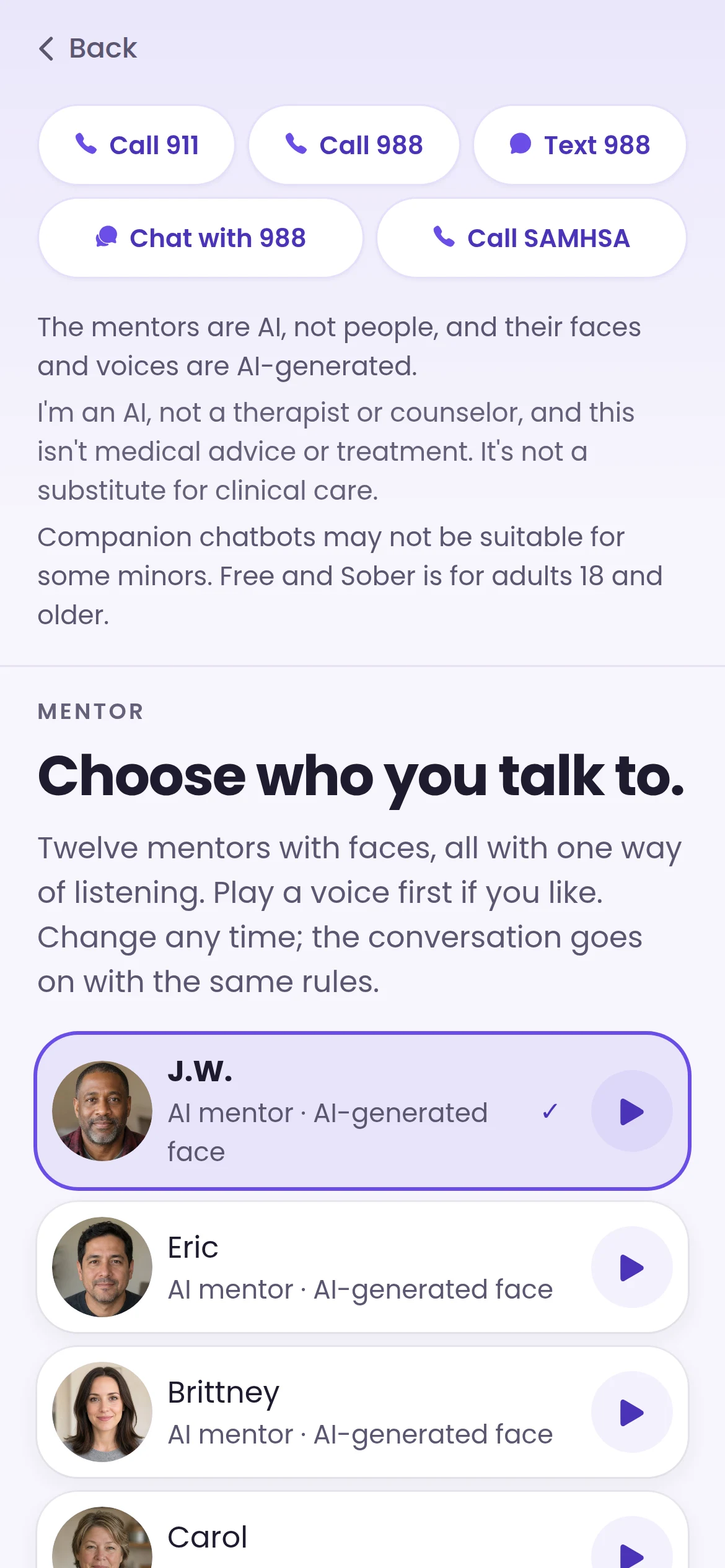
Members choose from twelve AI mentors, each with an AI-generated face, and talk things through whenever they need to, during your program and after.
- Your program picks the setting: message only, or message plus voice.
- Voice minutes come with the seat: 30 a month on Plus, 120 on Premium. Essentials seats are by message.
- No video with the mentor on program seats, no trial, and nothing for members to buy.
- What a member tells the mentor stays private to them.
- It's an AI, not a therapist or counselor, and not part of your program's services. 988 and 911 are always one tap away.
- Every message gets the same crisis check first. The mentor follows a written crisis protocol signed by a licensed clinician, uses only fixed crisis lines a licensed clinician approved, and puts Call 988, Text 988 and Call 911 in front of the member.
See it from your side
Real screens, demo data.
What your staff and your members actually see. Shown with a demo program.
They're in
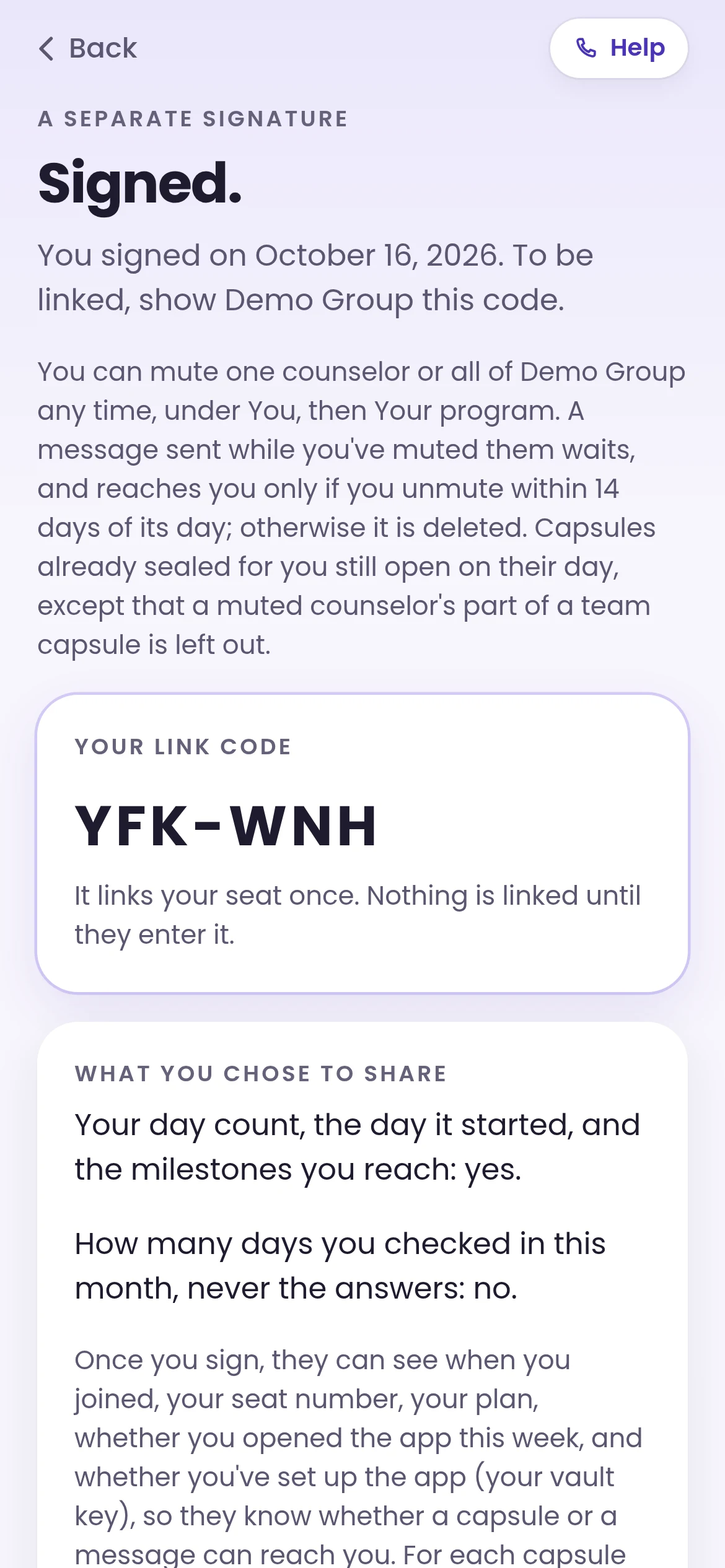
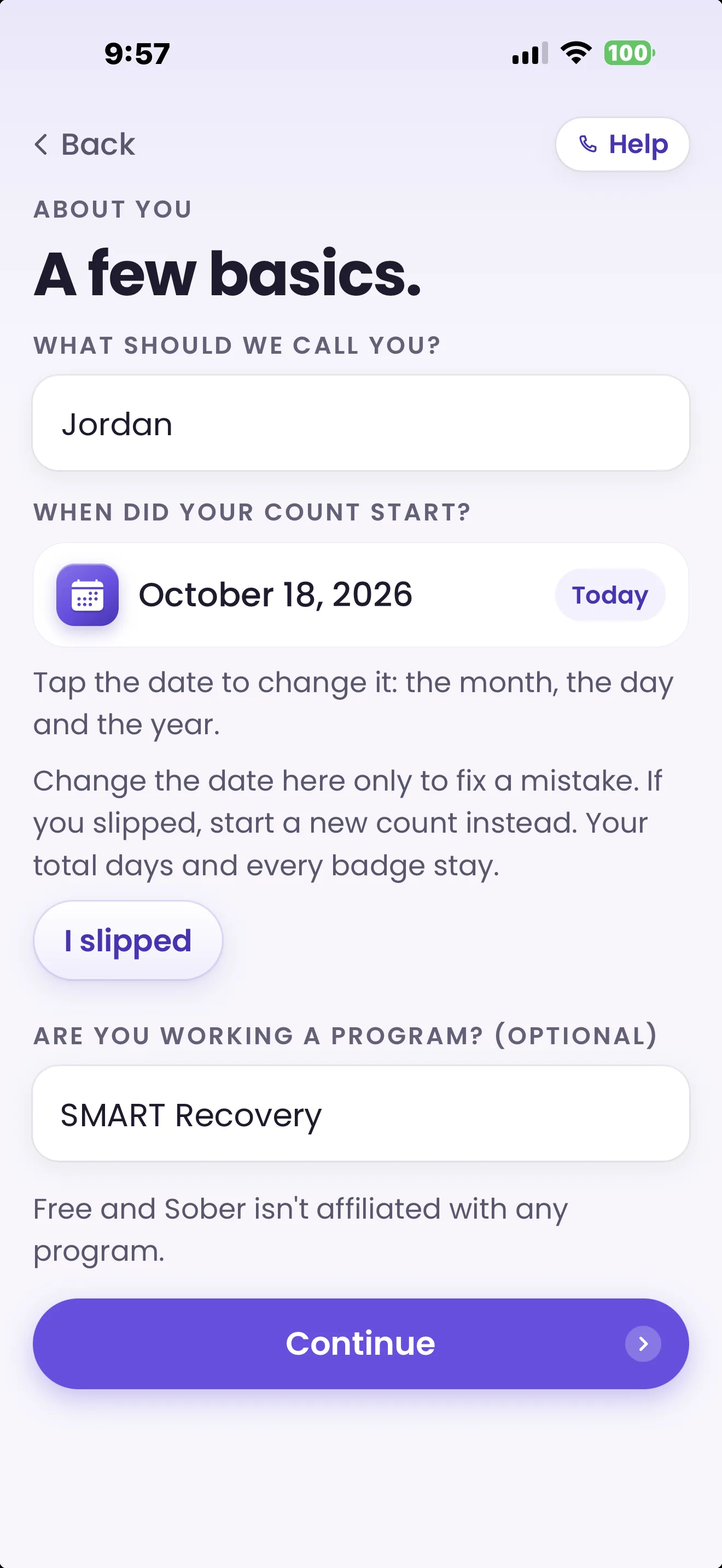
A member enters their one-time code and joins with your plan already on. Their seat number is how your team refers to them.
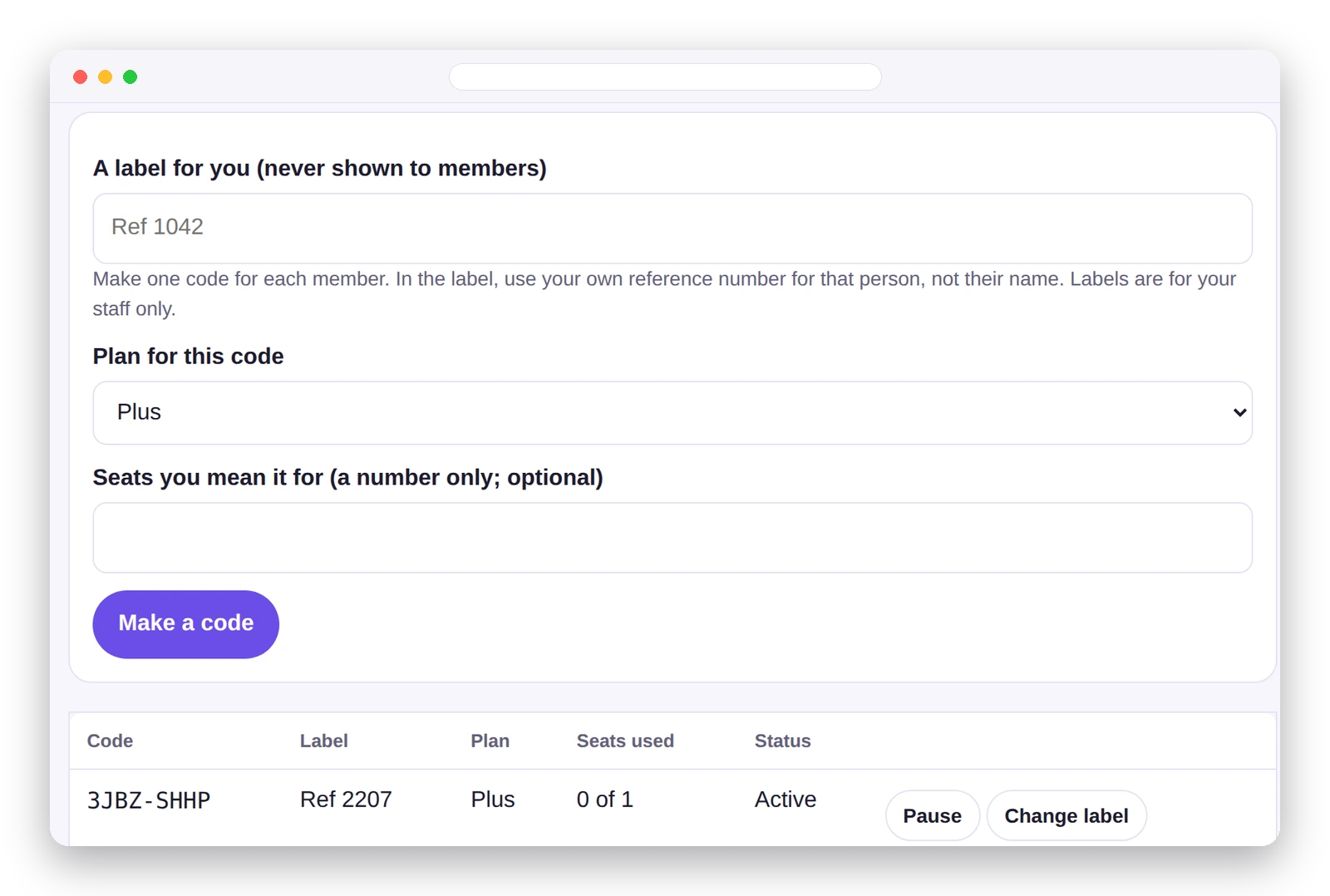
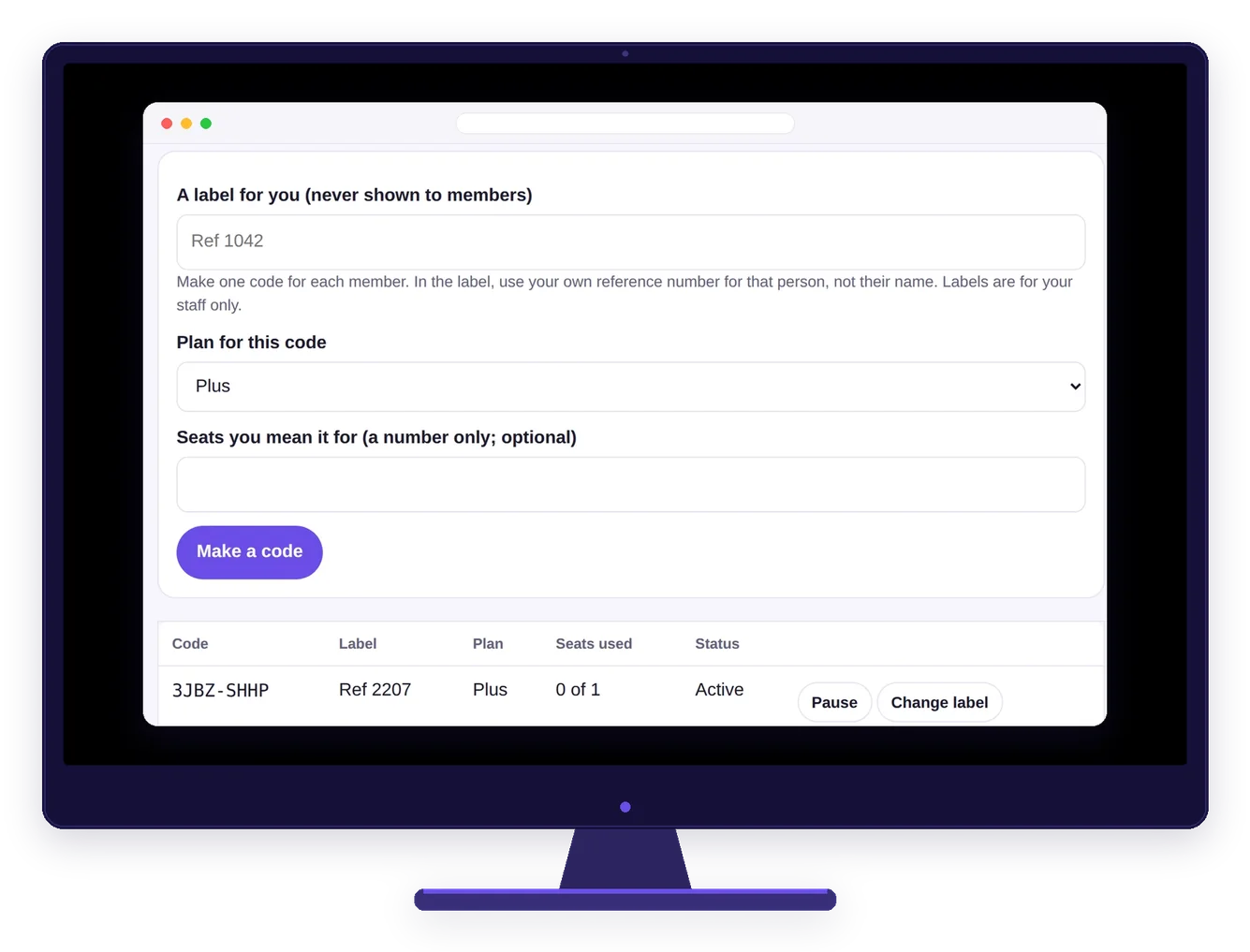
Make a code
Create a code for each member with a staff-only label, like your own reference number, then share the code or its sign-up link.
Your overview
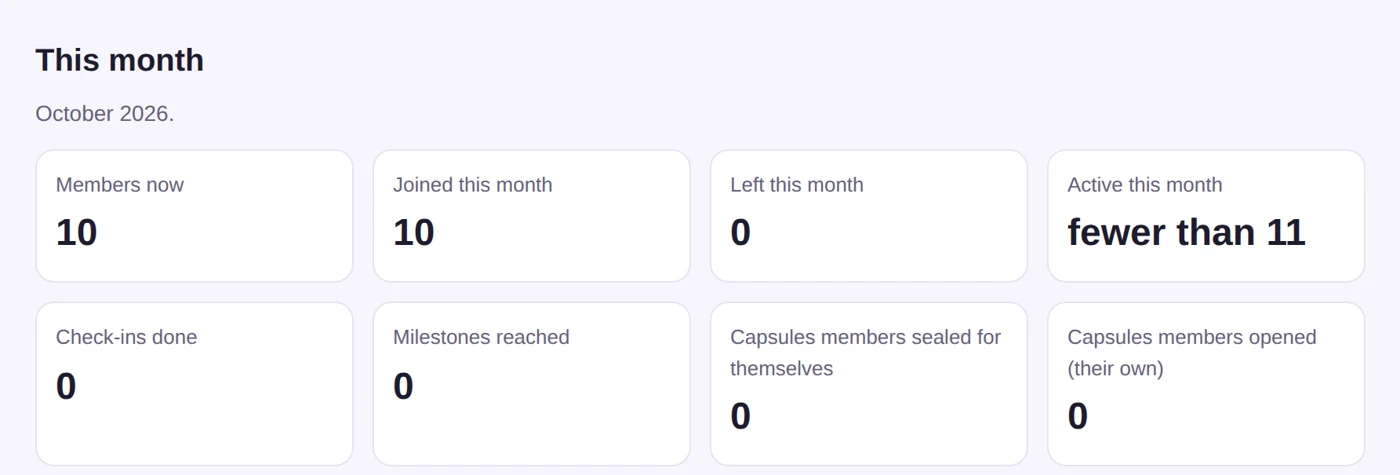
Your monthly overview
This month's totals for your program, at a glance.
Care team, meetings and broadcasts
Talk live, or send a message.
Tools for your staff, inside the app your members already use.
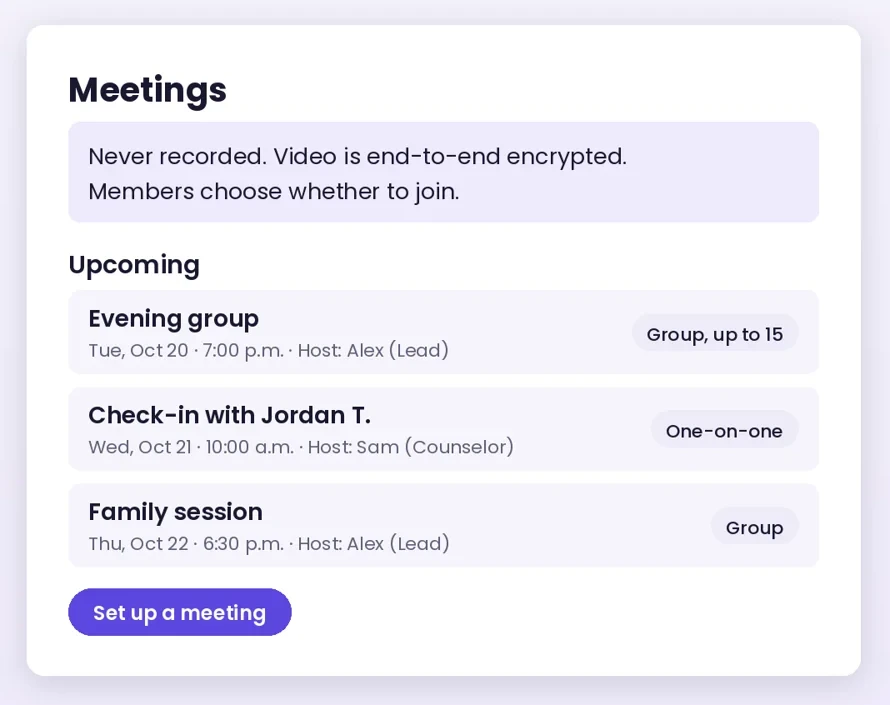
Meetings: live video
Live video in the app, one-on-one or in a group. Each member chooses whether to join. Meetings are never recorded.
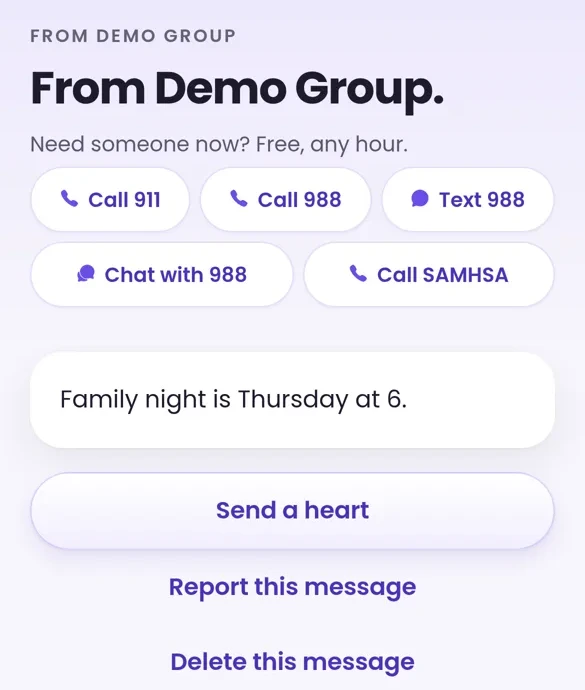
Broadcasts: one-way messages
Send up to 5 broadcasts a day across your program. Leads and counselors can send them. For groups of 11 or more, you'll see total opens and hearts.
Your staff, your roles
Add staff by name and email and choose their role right there: Admin, Lead or Counselor. Leads and counselors can also host meetings.
Care team
Available to every program; we switch it on for you. Before you start, you pick one named contact for your program, in any role. When a member taps “Can we talk?”, every lead and counselor sees the request on the Care team tab, ready to follow up. Your named contact and the staff member who sent that message or capsule get a short email alert to check the tab.
Pricing
Pick plans as you go.
Choose Essentials, Plus or Premium for each member, and move anyone up or down any time. Example: 40 members on Plus is $799.60 a month. Members get mostly the same features they'd have in the app on their own, and your program gets its organization features on top. Setup: $2,500 one-time. Add the Partner API or Meetings if you want them. One invoice from Stripe on the 1st of each month, net 30, with a $99 monthly minimum.
See full organization pricing and what each seat includes →Essentials
$12.99a month
- Your AI mentor by message, any hour, from all 12 mentors
- 1 Time Capsule sealed at a time, and four guided paths: Getting ready, The first 30 days, Staying sober and After a slip
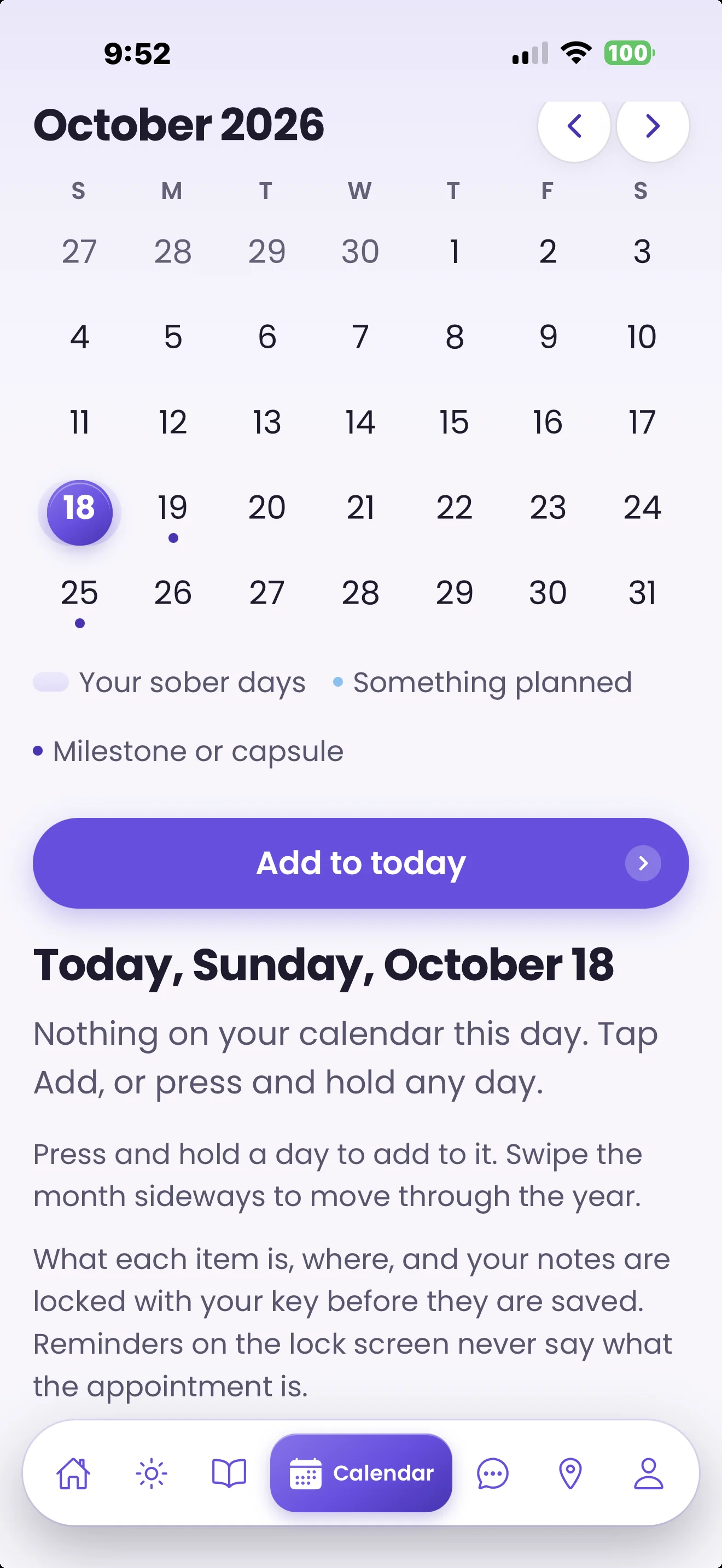
- A private calendar. The meeting finder is open to everyone, even without a plan.
- A private journal, milestones and badges
- Your documents, schedules and meetings in the app
Recommended
Plus
$19.99a month
- Everything in Essentials
- Talk out loud with the AI mentor: 30 voice minutes a month, when your program sets the mentor to message plus voice
- Every guided path, adding After the first 30 (days 31 to 90), The first year (a reading a week) and Week by week, to read or listen to
- Your Corner, for 5 people, with Corner capsules
- 3 Time Capsules sealed at once, including one for any date they choose, up to ten years out. Journal prompts from the mentor and the Apple Watch app
Premium
$29.99a month
- Everything in Plus
- 120 voice minutes a month with the AI mentor, when your program sets the mentor to message plus voice
- Help writing the journal, by message or voice
- Your Corner, for 15 people
How billing works
Simple whole-month billing
Invoiced on the 1st for the month before, net 30, $99 minimum
An account is active from the day a member joins with your code until the day you end their seat. Any account active during a month is billed for that calendar month, so there's no proration math to check on your invoice.
After discharge
Support that continues, for as long as you choose
Plan pricea month
Per member, none or 30 to 365 days, billed by calendar month
Keep a member's plan going when they leave your care. Set your program's default in Settings: none, or 30 to 365 days. When staff end a seat, they choose that member's aftercare. It starts the next day, or right away with "End now". You can make it longer or shorter any time, but never so it ends before today, and a Settings switch decides whether members keep your Resources during aftercare. Aftercare is billed like a seat, by calendar month. Members keep everything they built.
Setup
Your program, set up and branded
$2,500one-time setup
Setup: $2,500 one-time; your members stay at the plan prices above
What setup includes →Sign on before 1/1/27 and your setup and Partner API fees are waived.
Onboarding, done with you, plus your program's name and logo on every code for the life of your account: setup of your staff portal, hands-on training for your staff, how-to videos for every part of the portal, your join codes, your documents, schedules and meetings in the app, and your plan and aftercare defaults. After that, your account rep gives you one-on-one support whenever you need it. Care team isn't part of setup; it's available to every program.
Optional add-on
Full details →Partner API: Connect
$249a month
Stop entering things twice.
- Link members with their link code and your own ID
- Send, change or cancel appointments in members' calendars, with a day-before reminder
- See accepted or declined, and the progress a member chooses to share: day count, milestones and days checked in
- Join, leave and seat-end alerts, “Can we talk?” alerts with no member identity, and monthly counts with small numbers held back
Optional add-on
Full details →Partner API: Connect+
$750a month
Automate member support, and show funders it's working.
- Everything in Connect
- Automatic seats and discharge, with ongoing support started for you
- Funder outcome reports, totals only
- Scheduled care messages and broadcasts
- Discharge plans sent securely to one member, and Resources kept in sync
Optional add-on
Full details →Meetings
$29a month for each staff member who ran a meeting that month
Each one adds 20 meeting-hours to your program's pool; $3 for each hour started past it
Live video meetings your staff hold with members in the app, one-on-one or in a group, which each member chooses whether to join. Meetings are never recorded. You only pay for staff who actually hosted: each staff member who ran at least one meeting that month, whatever their role. A month with no meetings has no Meetings charge.
Partner API
Portal alone, or portal plus your system.
The portal covers everything on this page. If your program runs its own records or scheduling system, the optional Partner API connects it in two tiers: Connect and Connect+. It starts only when a member signs the privacy disclosure in the app and gives your staff their link code. Without the API, staff do it all in the portal. Connect links your system. Connect+ automates it.
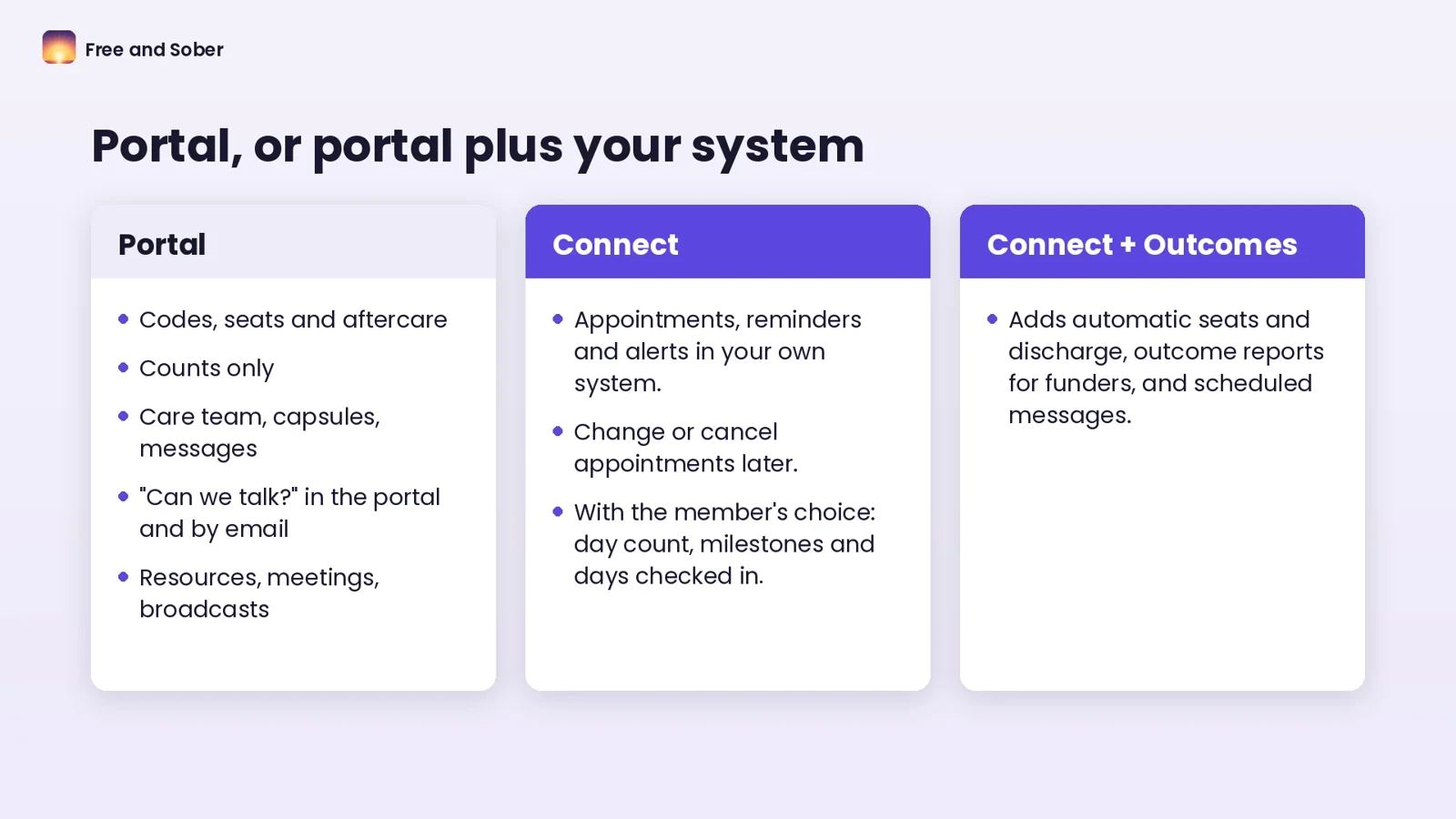
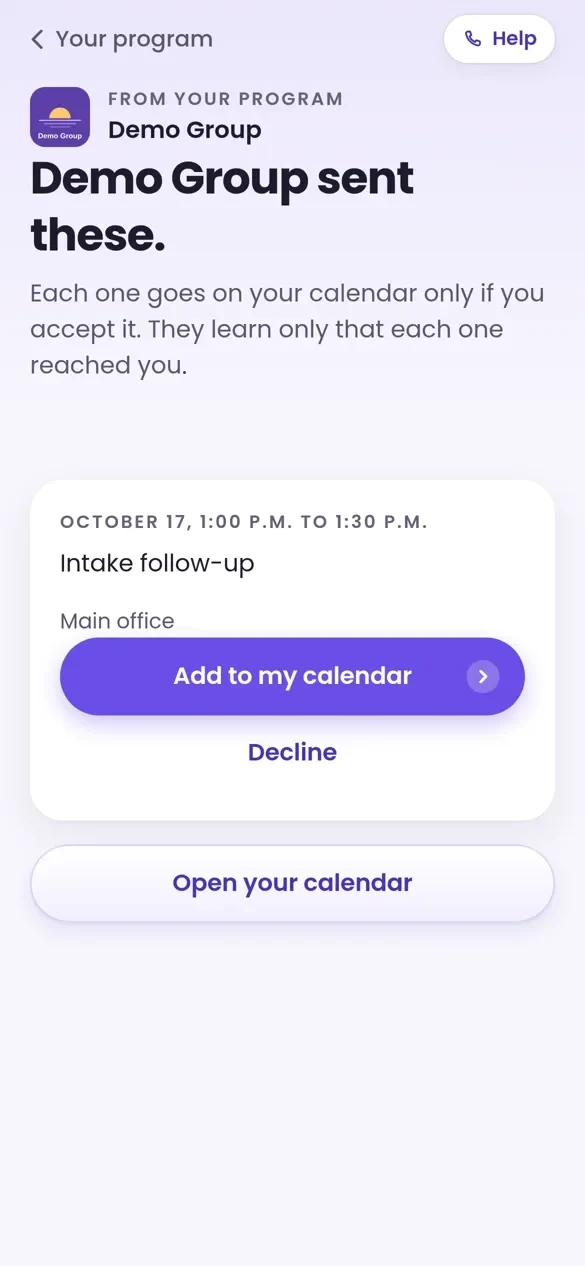
Appointments land on their calendar, if they accept
With Connect, your system sends appointments into the member's app calendar, locked to the member's own key the moment they arrive. You can change or cancel them later, and you see accepted or declined if the member chose to share that. The day before an accepted appointment, a reminder says only “You have an appointment tomorrow.” When a member taps “Can we talk?”, your system gets an alert to open the Care team tab.
Members can withdraw any day, and sharing stops that day.
Prices in US dollars, before tax. Every invoice comes from Stripe on the 1st of the month and is net 30: pay by bank transfer or card within 30 days. Invoices list seats by number, not by name. Members never start a trial or enter payment details.
How it works
How to start.
1
Request a demo
Tell us about your program with the form below. A person replies within 24 hours, then walks your team through the member app and your staff portal with a demo program.
2
Set up with us
Onboarding runs in this order: we set up your staff portal, train your staff and share how-to videos for every part of the portal; you pick a plan for each code, give it a label only your staff see, and add your documents and meeting times. Change plans any time.
3
Hand out codes
Members download Free and Sober, enter your code, see what your program receives and choose whether to join.
Before you sign, we send the full set:
- The Organization Services Agreement, with its exhibits, and your Order Form
- A Business Associate Agreement, with a 42 CFR Part 2 qualified service organization addendum, if you are covered by HIPAA or Part 2; or a Data Processing Addendum if you are not
- A Mutual NDA, if you want one before we talk details
- The privacy disclosure your members sign in the app, if you use the Partner API
- The terms for your staff who use the admin portal
- Our security overview and our list of subprocessors, and, on request, our answers to standard security questionnaires
- Our 42 CFR Part 2 notice
- The Partner API developer guide, for your engineers
For employers and wellness teams: the Wellness Program
Light on admin for HR and wellness teams. Share member codes or a sign-up link in a benefits email or at open enrollment, and get one invoice a month for the seats in use, net 30. Employees redeem privately, with no payment details to enter. Your staff portal is there whenever you want it, and care team comes with every program. Setup: $2,500 one-time. Add broadcasts, program resources, hosted meetings or the Partner API any time.
Request a demo
Tell us about your program.
A person reads every request and replies within 24 hours. Please do not include member names or health details.
Prefer email? Write to support@freeandsober.com.
Prefer to watch first? Request product videos and an app walkthrough.support@freeandsober.com.
Request product videosFor programs: request a demo
For treatment and recovery programs, sober living, multi-site networks, government agencies and employer wellness teams. Available in every US state except Utah.
Thank you. Your request reached us, and a person will reply within 24 hours from support@freeandsober.com.
That did not send. Please try again, or write to support@freeandsober.com.
Questions
Questions from programs.
Billing, privacy and what happens when someone leaves your care. More in Billing and subscriptions.
Who pays for members' plans?
You do. You pick Essentials, Plus or Premium for each member and can move anyone up or down any time. Redeeming the code turns their plan on right away: no trial, and they never enter payment details.
How are we billed?
One invoice from Stripe on the 1st of each month, net 30, with no member names: your members' plans, any aftercare months and add-ons you choose, with a $99 monthly minimum. Every account active at any point in a month is billed for that whole month. Pay by bank transfer or card.
Do members get the AI mentor?
Yes, by message and by voice, never on video. Members can choose from twelve AI mentors, each with their own face and voice. On Plus and Premium, members talk out loud with their plan's monthly voice minutes; Essentials is by message. There is nothing for them to buy and no shared pool. What a member says to the mentor goes only to OpenAI and Amazon Web Services, and stays private to the member. We have a HIPAA business associate agreement with each, and the mentor's model runs on Amazon Web Services only once AWS confirms in writing that our agreement covers it. The mentor is an AI, not a therapist or counselor, and isn't part of your program's services. Crisis help, 988 and 911, is open to every member.
Can the app carry our brand?
Yes, inside Free and Sober. Your program's name and logo are on every code you hand out for the life of your account, as part of the one-time setup, with features set up for your program. It is not a separate app, so there is no app store work on your side.
How do codes work?
Each member gets their own code. It works once, for one person. Make as many as you need, and give each one a staff-only label, like your own reference number. Federal confidentiality rules protect substance use records, including the fact that someone is in a program, so labels use reference numbers rather than names. You can end a seat at any time.
What happens when someone leaves our program?
When staff end a seat, they pick that member's aftercare: none, or 30 to 365 days, starting from your program's default. It starts the next day, or right away with "End now", and you can make it longer or shorter later, never ending before today. It's billed like a seat, by calendar month. Members keep the program's features and plan until aftercare ends, and everything they built stays theirs. Their activity leaves your counts the day after their seat ends.
Can we connect our own systems?
Yes, with the optional Partner API, in two tiers: Partner API: Connect ($249 a month) or Partner API: Connect+ ($750 a month). Neither is needed to run your program. Sharing starts when a member signs the privacy disclosure in the app and gives your staff their link code. Connect links the seat, sends appointments to the member's private calendar to accept or decline, lets you change or cancel them, and sends a day-before reminder that says only “You have an appointment tomorrow.” It passes on the progress a member chooses to share (day count, milestones and days checked in), join, leave and seat-end alerts, “Can we talk?” alerts with no member identity, and monthly counts with small numbers held back. Connect+ adds automatic seats and discharge from your program software (code, seat end and the start of continued support), outcome reports at 30, 60 and 90 days after discharge with milestones and post-discharge engagement (totals only), scheduled care messages and broadcasts from your program software within portal limits, documents sent to one member sealed to their phone, and synced resources. Members can withdraw sharing any day, and it stops that day.
What does our program receive?
Monthly totals for your seats, plus what a member chooses to share when they sign the privacy disclosure in the app: their first name and last initial beside their seat (removed if they withdraw), and what the Partner API lists. Their words, recordings, mentor conversations, notes, calendars and corners stay in their own account, protected by database rules.
Do we need to change our phone policy?
No. Members start whenever they have their phones: during your program if phones are allowed, or at discharge or when phone privileges return.
Is this treatment?
No. Free and Sober is a wellness app and a non-clinical resource, not medical care or treatment. It points people back to their counselors, meetings and people, and does not replace them. It is a program cost, not a billable service.
For programs
Ready when your program is.
A person replies within 24 hours. Pick plans as you go. Setup: $2,500 one-time. The Partner API and Meetings are optional add-ons. Setup and Partner API fees waived for agreements signed before 1/1/27. One invoice on the 1st, net 30. Available in every US state except Utah. Free and Sober is a wellness app, not treatment.
Questions, organizations and press

For programs and employers
See it with your team first.
Request a demo and we'll walk your team through the member app and your admin page with a demo program, before you decide anything.
Request a demo